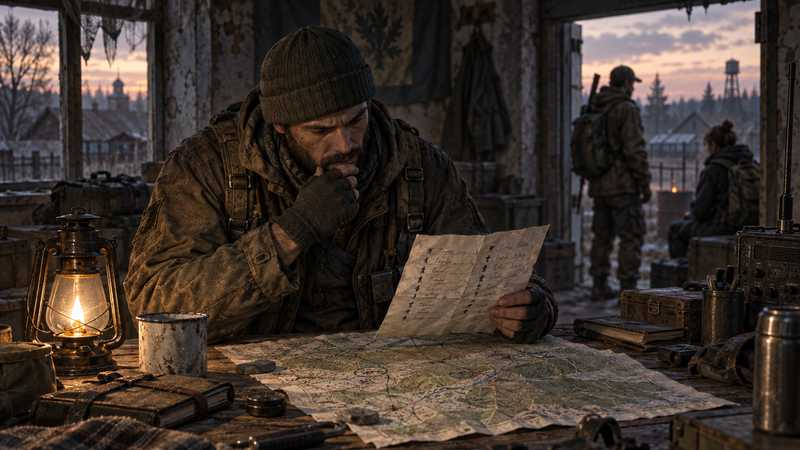

How to Start a DayZ Roleplay Server
Plan a DayZ roleplay community, set access rules, choose a manageable setup, and test the server before you recruit players.
You will need
- DayZ players on the PC Steam edition
- A server owner or operator
- A communication channel for applications and announcements
- A draft of the community rules and access process
This guide is for DayZ on PC through Steam. Game Hosting’s DayZ service supports that edition; it is not for Xbox, PlayStation, or the Microsoft Store/Game Pass PC build. Check which DayZ platforms can play together before recruiting, because a community needs to share a compatible server pool.
DayZ does not provide one universal roleplay mode or rulebook. Your community creates the experience through its characters, access process, rules, staff and events. Plan those decisions before you install a long mod list or post an invitation. A small, clearly described server is easier for players to understand and for its operators to maintain.
Decide what roleplay means on your server#
Write a one-sentence premise that tells a prospective player what they will do. For example: “A serious survival community where characters trade, investigate local stories and treat most encounters as in-character.” That is a sample direction, not a standard every DayZ roleplay group must follow.
Then decide the boundaries players will ask about first: whether player-versus-player combat is allowed, how characters meet, what happens after death, and whether players can create factions or settlements. You do not need to settle every story detail. You do need enough consistency that two moderators would give the same answer to a new applicant.
Pick the map and expected schedule around the people who will operate the server. A large world with few active players can feel empty; a busy schedule can be hard to sustain if only one person moderates. State the timezone, usual event windows, language, age expectations and whether newcomers can join without a long application. One established community, DayZRP, is a useful example of how a server can explain its culture, factions and application path. Its policies belong to that community; do not copy them as if they were official DayZ rules.
Write the rules before opening applications#
Keep the first rules page short enough to read before someone applies. Cover the behavior that can disrupt the premise: out-of-character harassment, combat and initiation, base or vehicle use, metagaming, stream sniping, exploits, and how players may report a problem. Explain what staff can do, how a player can appeal, and where urgent safety reports go.
Make clear which rules describe your community and which are game mechanics. Roleplay labels such as “new life,” fear rules, raid windows and character continuity are choices your staff makes. They are not universal DayZ settings. Do not promise a specific moderation outcome unless the team can apply it consistently.
Decide who can change the rules and how you will announce changes. Keep a dated copy or revision note so moderators and players can refer to the same version. A short change notice is more useful than quietly editing a rule after a dispute. If this begins as a private group, first decide whether you are ready to open it beyond friends; the private-server guide explains the access choices that come before public recruitment.
Choose an application and whitelist process#
An application should collect only what your moderators need to make a decision. Ask about the player’s character idea, familiarity with the rules, timezone and any practical access details. Tell people how long a review usually takes, where to ask about a delayed application and how to appeal a rejection. Do not collect passwords or personal information you do not need.
On the official DayZ server configuration reference, enableWhitelist defaults to 0, meaning the whitelist is off until the operator enables it. The server’s priority list is separate: priority.txt moves selected players ahead in the login queue; it does not block everyone else. If you use a whitelist, verify that the server setting is on and that each approved player’s SteamID64 is in the permitted list.
The Game Hosting DayZ service is for PC via Steam only. Its panel includes a Whitelist only setting in Settings and a Permitted player list; the setting and list work together. Enable the setting, add the approved IDs, and check both before sending connection details. A managed panel can reduce server administration chores, but it cannot decide whether an application fits your community. Keep your acceptance message private and tell new players exactly what to do next.
Do a controlled access check before you recruit: confirm the saved toggle and list, then ask one approved player and one unapproved player to test. If either result is unexpected, pause invitations and check the SteamID64 and server setting. Do not assume that a queue priority entry or a password alone enforces the policy you intended.
Set voice and communication expectations#
Tell players when they should use in-character voice, out-of-character chat or Discord, and how to report an urgent issue without disrupting a scene. Decide whether Discord is for announcements, applications, faction coordination or all three. Give each channel a clear purpose, and keep moderation reports away from public argument channels.
Bohemia’s server configuration reference lists disableVoN = 0 as the default and vonCodecQuality = 20 on a 0–20 scale. These are configuration values, not proof that every headset, radio mod or roleplay rule will behave as your group expects. Test voice with your own players and describe your setup plainly. Keep radio or proximity-voice mod instructions separate from these documented server settings.
Start with a mod list your team can maintain#
You do not need a mod to call a community “roleplay.” Rules, staff and player agreement create the format. If you later add Workshop content, start with a small list and check each creator’s current page for the supported DayZ build, required dependencies, server and client files, signing keys, update notes and permissions. A server-side download completing does not prove that players can join or that the mod works as intended.
Record the Workshop IDs, authors, dependencies and version notes in one place. Give every change an owner and test it before the main community depends on it. Have a recovery path before changing mission files or the mod set, and announce when players may need to update their own Workshop items. Avoid building recruitment around an untested mod feature or a creator’s work without attribution.
When you are ready to choose actual items, our guides to how DayZ mods work and installing DayZ server mods cover selection and installation. Game Hosting’s panel uses the service’s Steam account for its documented Workshop workflow, but that does not certify a third-party mod’s compatibility with your chosen server build.
Assign staff and plan the first month#
Choose a primary operator and at least one backup before the server opens. Write down who reviews applications, handles reports, posts announcements and can pause an event if a conflict needs attention. If one person holds every permission, plan what the community should do when that person is unavailable.
Use a simple calendar for the first few weeks: application review, a test session, one or two events, and a time to review feedback. Tell players when routine maintenance or restarts may happen. If you use scheduled restarts, check that the warning reaches players before the restart and choose a schedule the team can maintain. Do not advertise constant staffing or instant appeals if nobody is assigned to provide them.
Keep moderation decisions factual and consistent. Record the relevant rule and outcome, restrict access to reports, and give people a clear route for a second review. This does not require a complex ticket system on day one; it requires a predictable way to ask for help and a moderator who knows when to respond.
Test the experience before you recruit#
Run a private rehearsal with the owner and a trusted player. Follow the same steps a newcomer will follow: read the rules, apply, receive the decision, find the connection instructions and join. Confirm that the intended access rule works, the server starts the chosen map, and voice and communication channels are understandable. Test a normal restart and check persistence before you announce a public opening.
If you have mods, rehearse with the same client setup your players need and check the creators’ current compatibility notes. If something fails, stop recruitment and fix the instructions or configuration first. Do not ask players to work around a rule you have not tested, and do not risk the live world while diagnosing a file or storage problem; use a known backup and the documented recovery procedure before any destructive change.
Before you post an invitation, make sure you can answer these questions in one place:
- What kind of roleplay does the server offer, and what behavior is out of bounds?
- Who reviews applications, maintains the permitted list and handles appeals?
- Which PC Steam build, map, voice setup and Workshop items do players need?
- When are staff available, and how will players hear about maintenance?
- Has a trusted player followed the full onboarding path and joined successfully?
If those answers are clear and the rehearsal works, open applications with realistic expectations about activity and staff coverage. A DayZ roleplay server grows from a community that understands its rules and knows who will look after the world.
Quick answers
Is DayZ roleplay a separate game mode?
No. Roleplay is a community format players create through characters, rules, staff and events; there is no single set of rules every community must use.
How do I whitelist players on a DayZ server?
Enable the whitelist setting and maintain the permitted-player list, then test access before inviting the group. A priority queue changes login order; it is not an access whitelist. The [DayZ whitelist setup guide](/blog/dayz/dayz-server-whitelist/) explains the ID formats and safe test order.
Can Xbox and PC players join the same DayZ roleplay server?
Game Hosting’s DayZ service is for PC players using Steam. Xbox and PlayStation groups should use a service that supports their platform; this Steam service does not bridge those editions.
Do I need mods to start a DayZ roleplay server?
No. Start with a clear community format and rules, then add only mods whose authors document the dependencies, supported game build and installation requirements.