Steam
- Open Project Zomboid and choose Join, then Favorites.
- Add the server with the address, the port and your password.
- Mods download on their own the first time you connect.
203.0.113.42 port 16261
10% off sent you here. New players get 10% off their first payment, applied at checkout.

A Project Zomboid server for your group: your sandbox settings, your mod list pulled from the Workshop automatically, and nobody’s PC holding the whole town hostage. Online in minutes.
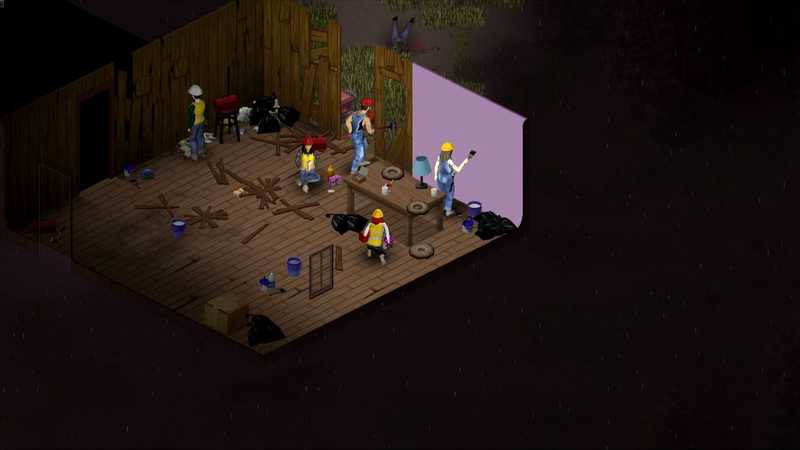
Onlineup 41d 12:04:33
0 onlineYour squad decides how many.
Every plan runs on the same hardware with the same backups and the same panel. The only difference is memory, so pick by how many of you play at once.
Party plays well with 8.
$17.99/ monthBilled monthly
6 GB RAM
One safehouse, one friend group, one very long winter.
Choose Squador try Squad free for 24 hours$21.99/ monthBilled monthly
8 GB RAM
A bigger group spread across town, with a mod list to match.
Choose Partyor try Party free for 24 hours$32.99/ monthBilled monthly
12 GB RAM
Community servers with dozens of mods and a map that never unloads.
Choose Clanor try Clan free for 24 hoursEvery plan includes
Every setting Project Zomboid exposes is yours from the panel. Change it, restart, done. Nobody else has admin, and nobody else gets a vote unless you give them one.
Difficulty, rates, rules, passwords and who gets in. If the game can do it, you can set it. If it needs a config file, the panel opens it for you.
No invites to accept, no accounts to link. The server has an address and a password. Paste them in Discord and the setup is over.
203.0.113.42 port 16261
Project Zomboid is PC only, so everyone joins from Steam. There is no console version.
server's up. 203.0.113.42:16261
password's in the pins. get in.
Everything we know about running Project Zomboid, written down. Follow the guides on your own PC, or let the server do it for you.
Schedule a Project Zomboid server backup, check that a fresh archive exists, and rehearse a restore without risking your live world.
Project Zomboid server chat settings vary by build. Check documented fields, inspect one 42.21.0 sample, and test visibility with two accounts.
Project Zomboid multiplayer map sharing settings do not prove group privacy; separate notes, player locations, and explored areas, then test each audience.
Plan on about 5 GB for the world itself plus half a gigabyte per player: 6 GB covers a group of four, 8 GB eight players and 12 GB a community of sixteen with mods. Memory also grows with the map area your players have explored and with every mod you add.
Add the Workshop IDs and mod IDs to the server settings and restart. The server downloads them, and every player gets the same mods automatically when they join.
Yes, and we can move it for free: open a support ticket with a .zip of the save, or your old host’s login details (deleted as soon as the move is done). You can also upload your multiplayer save folder through the panel yourself; the map, buildings and character progress carry over.
No. Project Zomboid is a PC game, so everyone joins from Steam with the address and password.
You. The panel gives you the admin password. Set spawn points, kick, spawn items, or pretend you did not see the base burning down.
Yes, for free. Every server has three backup slots. Take one before adding Workshop mods or after a long night of looting, or schedule one every night. Restore, download or lock any backup in one click from the panel.
The server updates every time it starts, because players’ games update themselves and can’t join a server that is behind. You decide: if your Workshop mods are not ready for the new version, turn automatic updates off in the panel and the server stays on its version until you turn them back on. Everyone needs the same game version to join.
Lobby is open
Be the friend who got the Project Zomboid server, not the one who kept saying “next weekend”.