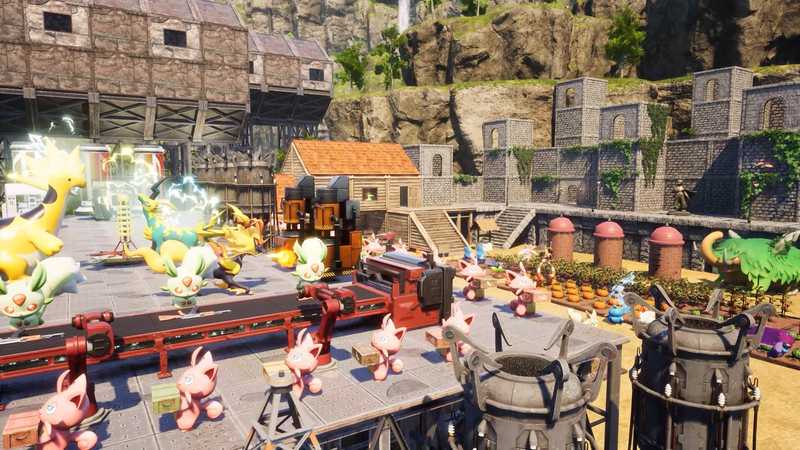
How to host a Palworld server for your friends
Three ways to host Palworld with friends, from the in-game co-op host to a real dedicated server, with the exact settings, ports and commands.
10% off sent you here. New players get 10% off their first payment, applied at checkout.
Hosting, multiplayer, crossplay, mods, performance. Every guide is a quest: what you need, how long it takes, and the exact steps. Written by the people who run the servers.
396 guides
Three ways to host Palworld with friends, from the in-game co-op host to a real dedicated server, with the exact settings, ports and commands.

A V3 reference to 7 Days to Die server settings, the inspected V3.2 XML, SandboxCode options, and what to verify on a newer build.

Find the 7 Days to Die server config on Windows, Linux, or a hosted panel, then edit serverconfig.xml without losing your changes.

Your 7 Days to Die 3.0 settings changed: learn which 30 gameplay XML keys moved to SandboxCode and how to rebuild them safely on a current server.

A Vintage Story server CGNAT fix starts with checking your router’s WAN IP. Compare a public IPv4, VPN, relay, or managed-host option.
Set a DayZ server restart schedule with messages.xml or a host panel. Learn how countdowns, safe shutdowns and relaunches differ.

DayZ server down? Separate an official outage from one community server or your own PC, then check the right notice and route the issue to its fix.

Learn how to read DayZ server RAM usage against its plan limit, spot repeatable memory pressure, and decide what to check before upgrading.

Find each DayZ server setting by goal, from private access and longer days to gameplay and loot files, with a safe edit and restart checklist.

Check Vintage Story server requirements for RAM, CPU, storage, network, and client compatibility before running a group world at home.

DayZ admin commands depend on the tool: learn what Bohemia documents for RCon and server files, plus safe options for managing a PC server.
How to make a DayZ server on Steam PC: use SteamCMD, configure serverDZ.cfg, set launch options, test network access and add Workshop mods.

If your Arma Reforger server is behind CGNAT, compare the router’s WAN address, spot double NAT, and choose an internet route players can reach.
DayZ server files put settings, logs, mods and world data in different folders. Use this Steam PC map to find the right file before you edit.
Compare DayZ server tools by job: SteamCMD installs the server, managers automate upkeep, and RCon handles player actions. Find the right layer for your setup.

A Hostinger Palworld server is a self-managed VPS with Game Panel. Compare upfront prices, renewals, RAM tiers, and what a managed host may handle.

Compare six Palworld dedicated server routes, check the official requirements, and plan setup, console access, backups, and ongoing maintenance.

Install a Palworld Linux server on Ubuntu with SteamCMD, configure its Linux settings, expose UDP 8211, and manage safe updates and backups.

Plan a Palworld dedicated server migration: match builds, copy the full world, verify the destination, and change its address only after restart.

Set up a Palworld dedicated server on Windows, edit its active settings, allow UDP 8211, and test LAN before inviting friends online.

Find the Palworld Dedicated Server tool in Steam, locate its Windows files, launch a test world, and plan safe updates without confusing Steam with hosting.

Palworld server port forwarding starts with UDP 8211. Learn when 27015 applies, reserve your PC’s IP, test from outside and spot CGNAT.

Use Palworld SteamCMD to download Dedicated Server app ID 2394010, then follow Windows and Linux paths for repeatable updates.

Check Palworld Game Pass and Steam versions, storefront updates, and official patch notes. Different version numbers do not always mean cross-play is broken.

Map the Thijsvanloef Palworld Docker variables, understand the generated INI and automation, and keep admin ports and secrets private.

Install UE4SS on a Palworld dedicated server with a version check, Windows path, manual files, safe settings, and a log-based check.

Satisfactory multiplayer works across Steam and Epic on PC. Compare co-op and dedicated servers, then pick the setup that fits your group.

Satisfactory server RAM starts with the published 8 GB baseline; learn when 16 GB fits, what 12 GB means, and why factory-stage charts are estimates.

Recover a Valheim world safely: rule out a wrong save path, preserve every file and test a known-good backup on an isolated copy.

Find the Valheim save location on Windows, Linux, Xbox, Game Pass, or a server, then confirm which copy to protect before you touch it.

Best Vintage Story server hosting comes down to version control, ModDB support, clear RAM, backups and a region your group can reach. Compare hosts fairly.

A 7 Days to Die dedicated server keeps your world running without the host player. Compare home PC, Linux, VPS and managed routes before choosing.

Open the 7 Days to Die server ports your group needs, forward them to the right PC, and keep admin interfaces off the public internet.

7 Days to Die console commands for server admins, grouped by job, with permission levels and how to run them from F1, local telnet or a panel.
7 Days to Die multiplayer not working? Find out whether the server is offline, missing from the list, or rejecting players, then follow the right fix.

Set up Palworld server dynamic DNS with DuckDNS, No-IP, or Cloudflare, then test the hostname, UDP port, and console server-list route.

Palworld co-op supports four players including the host. Learn how invite codes, crossplay, the host’s save, and different schedules affect your group.

Palworld co-op supports four people total. See what an unsupported save edit means and which supported options let a fifth player join.

Set the correct Palworld server firewall rules for Windows, Linux, and cloud hosts. Allow the configured UDP port and keep admin APIs private.

Learn how to update a Palworld dedicated server safely: back up its world and config, stop cleanly, use Steam or Docker, then check versions.

Compare Apex Satisfactory server RAM, shared CPU, mods and backup details, then choose a PC host using the plan and recovery facts you can verify.

Best Satisfactory server hosting starts with real CPU and memory details, then a check of location, backups, mods, saves and update control.

A Satisfactory server can allow more than four PC players, but the game warns of trade-offs. Size memory for your save, then test before inviting everyone.

Satisfactory server requirements cover x86-64, memory, disk and open ports. See the published guidance, current Linux depot size and what remains unknown.

Satisfactory server CPU guidance favors one fast thread, not core count alone. Learn how to read CPU models, PassMark scores, and vCPUs.

Satisfactory lag can come from your PC, server tick rate, or network route. Use these checks to identify the cause before changing settings or plans.

Compare ZAP Hosting Satisfactory options by checking the live RAM, CPU, region, save, mod and build details before choosing a server.

Check Valheim client-side mods against package requirements, dependencies and server rules before you join a shared world.

Plan Valheim multiplayer mods with exact packages, dependencies, platform roles, update ownership and a tested copy before your crew installs anything.

Identify Valheim world files, preserve the complete 1.0 folder, and test a copy safely before you move or replace a shared world.

Valheim costs $29.99 on the US Xbox Store. Compare recurring online multiplayer plans and see when a server rental is optional.

An old laptop can host a Vintage Story server if it stays cool, powered, connected and online. Use this checklist to judge your spare PC.
Use an Arma Reforger server trial to test your real PC, Xbox or PS5 group, Workshop mods, restarts and backup recovery before paying.

Compare Arma Reforger server hosting by CPU, memory, crossplay, console mod limits, saves and support before choosing a host.

Cheap Arma Reforger server hosting can fit a small group. Compare monthly terms, published resources, mod workflows and backups before you buy.

Is Satisfactory crossplay? Steam and Epic play together, as do Xbox and PS5, but PC and console cannot share a world. Check the rules first.

Satisfactory server hosting PS5? PS5 and Xbox cannot join dedicated servers. Check before paying or contact the seller if you already paid.
Install a 7 Days to Die Linux server with SteamCMD, separate world data, and a systemd unit, then check startup and shutdown logs.

Choose Valheim server hosting for Xbox with checks for game access, crossplay, world exports and account ownership before your crew pays.

Find why Valheim multiplayer is not working on Xbox by checking account permissions, host crossplay, current service notices and version compatibility.

See whether Game Pass includes Valheim, which Xbox and Microsoft Store PC licenses cross over, and how crossplay differs from save syncing.

Free Palworld server hosting exists, but the free server app, Oracle tier, ad-based plans, and home PCs each come with a different ongoing catch.

Run Pocketpair’s Palworld Docker image with persistent saves, the documented UDP port, and a backup-first update routine you can check.

See if your spare PC can run a Palworld server, install the dedicated tool, keep it awake, and test LAN and remote access safely.

A Palworld server unraid setup guide comparing Proxmox and TrueNAS, with practical checks for storage, UDP ports, backups, and resource limits.

Compare dated Arma Reforger server prices for 8, 12 and 16 GB plans, bill splits, promotions and what a monthly price cannot tell you.

Set up Palworld server startup without a login, recovery after a crash, and safe checks for Task Scheduler, NSSM, and systemd.

Compare Palworld server managers by OS, backups, player controls, and maintenance so you can choose a fit without risking your save.

Satisfactory server self hosting can stall on ports, CGNAT, saves, RAM and patch mismatches. Learn which issues to fix and when to stop.

How to host a Satisfactory server: compare rental, a home PC and a VPS on setup, costs, ports, saves, uptime and upkeep before you choose.

Set up a Satisfactory dedicated server with current ports, a safe first claim, session saves and version checks for Steam and Epic PC players.

How much does a Satisfactory server cost? Compare 8, 12, and 16 GB monthly plans, backup inclusions, billing terms, and low headline quotes.

Schedule a Project Zomboid server backup, check that a fresh archive exists, and rehearse a restore without risking your live world.

Project Zomboid server chat settings vary by build. Check documented fields, inspect one 42.21.0 sample, and test visibility with two accounts.

Project Zomboid multiplayer map sharing settings do not prove group privacy; separate notes, player locations, and explored areas, then test each audience.

Find the active Project Zomboid dedicated-server world by tracing its Linux process, profile, data root, startup log and matching save directory.

Find the best Rust server hosting for your PC group by comparing current plans, renewal prices, recovery options, and the questions providers must answer.

Test a Rust server hosting free trial with real joins and saves. Record eligibility, renewal terms and a cancellation deadline before you decide.

Check Rust server export access, destination requirements and contract restrictions before switching hosts so your world can leave with your group.
Set up an Arma Reforger dedicated server with the right build, config, UDP ports and upkeep plan before your group relies on it.

Free Arma Reforger server hosting means running a PC yourself or using a short trial. Compare hardware, network work and trial limits.
Compare XGamingServer Arma Reforger plans on monthly price, listed CPU threads, regions and backups, then choose the fit for your group.

Compare BisectHosting Vintage Story alternatives by mods, backups, Standby mode, support and locations, with current facts and a fair stay-or-switch guide.

Compare an Arma Reforger player-hosted server with a dedicated server: who can host, crossplay limits and when a PC menu session no longer fits.
Use these Palworld dedicated server requirements to check CPU, memory, storage, and upload against Pocketpair’s guidance before choosing a PC.

Cancel Rust server hosting with a clear checklist for renewal dates, file access, cancellation confirmation and protecting a copy of your world.

Evaluate Valheim Thunderstore mods by package identity, pinned dependencies, install roles, release notes and tests before adding them to a server.

Follow a safe Valheim failed to connect checklist that separates server startup, platform status, network route and account issues before changing settings.

Fix a Valheim incompatible version error by checking official compatibility, release branches, mods and the affected install before you update.

Interpret Valheim PlayFab errors by their timing, preserve the right log context, and check current relay evidence before changing a working server.

Switch Vintage Story server hosts safely: verify a backup, move the world and server data, match versions and mods, then test before cutover.
Compare PingPerfect DayZ plans, Workshop tools, trial terms and backups with a Steam-PC alternative, then check which workflow suits your group.

Compare GTXGaming Arma Reforger plans, RAM wording, mods and locations, then choose a server setup that fits your group and platforms.

Compare Nitrado Arma Reforger server plans, locations, mods and backups, then see when a resource-transparent alternative fits your group.

Compare Shockbyte Satisfactory server plans, SFTP, backups and claim workflow, then choose a host by the details its public page actually confirms.
V3.3 admin commands for kick, timed bans, admins, whitelists and announcements, checked on an isolated dedicated server.
Set up a 7 days to die pvp server with current V3 kill, claim and drop rules, then check what your players need to know before the first raid.
Can a spare PC run a Project Zomboid server? Check its workload, uptime, electricity, and recovery before relying on it for your group.

Check Project Zomboid dedicated server Raspberry Pi compatibility before buying: the current Linux files are x86-64, and emulation is unverified.
Plan a Project Zomboid Proxmox VM with a guest, storage, network, headroom and recovery checklist before putting a world at risk.

Keep a Project Zomboid server reachable when a home IP changes. Update DNS safely, then test hostname entry from an outside network.
Compare Shockbyte DayZ plans, CPU disclosure, Workshop setup, backups and refund terms before choosing a Steam PC server.

Plan a Valheim server restart around updates or real issues, stop it cleanly, tell players when to expect downtime, and verify the same world afterward.
Compare Valheim server manager GUIs by operating system, settings ownership, backups, updates and the work that still falls to you.

Compare Godlike’s Vintage Story plan prices, renewal terms, panel claims and mod workflow before you choose a server.

Understand Palworld server settings, find the active INI file, and choose sensible rates, base limits, passwords, and backup checks for your group.

Find the active Palworld server config, copy the current official defaults, and check which setting limits Pocketpair actually documents.
If 7 Days to Die crossplay is not working, check server eligibility, game versions and player account settings before changing every setting at once.

Compare G-Portal Satisfactory server alternatives by memory, mods, backups and regions, with a fair look at what each host does better.
Choose 7 Days to Die crossplay server hosting with the right 8 GB plan, current console rules, version and honest provider trade-offs.

Can't join a friend in 7 Days to Die on Xbox? Check the edition, Xbox privacy permissions, matching builds and crossplay rules in order.

Is 7 Days to Die crossplay? PC, PS5 and Xbox Series can play together on a compatible server. See the 8-player, EAC, mod and edition limits.

A Vintage Story community server needs clear roles, claim rules, compatible mods and enough memory. Compare hosting options before inviting players.

Vintage Story server port 42420 is the default. Learn when to forward TCP and UDP, use a custom port, and skip home-router setup for a managed host.
How much is a DayZ server? Compare current Steam PC hosting prices, annual charges and per-person costs, then check which extras can change the bill.
Compare DayZ server hosting free trial terms, then test mods, restarts, recovery, ping and support before you commit to a host.
Check Arma Reforger server requirements for CPU, RAM, disk and upload before you reuse a home PC or pay for managed hosting.
Learn how to spot likely CGNAT on a Project Zomboid server, separate it from double NAT, and ask your ISP the right questions.

Compare Nitrado Satisfactory server alternatives by PC compatibility, memory disclosure, mods, locations, saves and the build your group needs.

Choose a Valheim dedicated server route for your crew: compare Windows, Linux, Docker, home hardware and rented machines by the work each needs.
See how Vintage Story server location affects each player. Compare real in-game routes, test regions with your group, and choose without guessing at ping.

Compare managed hosting, a home PC and a VPS for an Arma Reforger server. Choose by platform, uptime, setup work, mods and who will maintain it.

Fix a Valheim dedicated server not loading the world you expect by tracing its -world name, savedir, complete save files, and writable mount.

Enable Arma Reforger server crossplay with one JSON setting, then check versions, server visibility and console mod limits before your friends join.
Best DayZ server hosting depends on platform, memory, mods, update control and backups. Compare three PC hosts with a practical checklist before you choose.
Learn what DayZ server DDoS protection should cover, how query ports and RCon differ, and what to ask a host before an attack.
Choose a DayZ server location by testing each player’s route, stability and playtime. Check whether a Dallas host fits before you commit.
Compare a DayZ VPS with managed hosting: Steam setup, Workshop mods, backups and updates, plus when root access is worth the upkeep.
Verify each Project Zomboid Build 42 multiplayer mod against the exact branch, dependencies, client behavior, and a separate test-world reload.

Stage a Project Zomboid dedicated server update on the same branch, then check clients, mods, saves, and the return path before promotion.

See what current Valheim Docker Compose settings change, how to persist worlds and backups, and which image defaults to review before launch.

Set up Valheim Linux server mods with the right BepInEx paths, service permissions and persistent Docker mounts.
Run a Valheim Docker server with persistent volumes, a tested world restore, and clear limits for ports, updates, and backups.
A Valheim NAS checklist for Synology, unRAID, TrueNAS, and Proxmox: confirm model support, persistent world storage, network paths, and backup recovery.

Use Vintage Story’s rough RAM formula, account for mods and exploration, and choose a server plan with room to monitor your own world.

Yes, Palworld is crossplay between Steam, Xbox, PC Game Pass, PS5 and Mac. Which pairings work in co-op vs on a server, and how mixed groups play together.

Compare 7 Days to Die server manager tools by features, setup, crossplay risk and build support before you connect one to your world.
Compare Host Havoc Arma Reforger plans, RAM and add-ons with a resource-transparent alternative, including crossplay, restarts and backup details.

Satisfactory server mod support depends on Linux builds, SML, compatible game versions, and safe saves. Use this host checklist before choosing a plan.

Is Arma Reforger crossplay? See how PC, Xbox and PS5 servers work, the crossplay setting, console mods, storage limits and version rules.

Arma Reforger server config explained block by block: what each config.json section controls, its defaults, and how to edit it without breaking startup.

Choose a 7 Days to Die map size by how far your group wants to roam: compare the current 6, 8 and 10 km choices by world footprint.

For 7 Days to Die server size, start with TFP’s 20 GB baseline and allow up to 15 GB more for a large RWG map and player data.
Choose Navezgane, a pregen, or RWG for a new 7 Days to Die server. See current V3.3 map sizes, seed and save-name choices before the first start.

Palworld multiplayer supports 4-player co-op and 32-player dedicated servers. Compare hosting, crossplay, saves, and the setup that fits your group.

Compare Palworld server hosting with a home PC or VPS, including memory, backups, costs and the controls that make a managed rental useful.
Check current Project Zomboid Build 42 multiplayer status, matching versions, save limits, mod support and server readiness before your group joins.

Project Zomboid server Discord integration: see documented fields, bot access limits, and a safe checklist for testing channels and credentials.
Install a Rust-matched Oxide release, verify oxide.version after startup, and keep a clean recovery point for a safe return to vanilla.
Rust carbon to oxide migration: plan a safe rollback, protect newer plugin data, and verify what can be restored before changing a live Rust PC server.

Plan Rust server plugins around player needs, framework compatibility, permissions and recovery, with a stack register you can maintain after updates.

Install Satisfactory dedicated server mods safely: save and stop, back up, then add SML and Linux server builds with SMM, ficsit-cli, by hand or a panel.

Create a Satisfactory Mod Manager profile, export it for your Steam or Epic friends, and keep the server’s separate Linux mod install in sync.

Learn how Satisfactory mods work on dedicated servers, check a LinuxServer build and game version, match shared mods, and protect your save before changes.

Choose a Valheim server OS by maintenance, service tools, save paths and mod needs, without assuming Windows or Linux is faster.
A Valheim dedicated server not starting? Trace the first real error, check installed files and launch arguments, then test with a disposable world.

Use the 7 Days to Die teleport command on a server to regroup players or help someone stuck. Check V3.3 syntax, permissions and coordinates first.

Arma Reforger on PS5 supports compatible crossplay servers and Workshop mods. Check the 25 GB limit, builds and group hosting options.

See which Xbox consoles run Arma Reforger, how crossplay and Workshop mods work, and which server options fit your group.
Project Zomboid failed to establish a P2P connection? Compare the exact Steam error, session and available logs without broad network changes.
Trace Project Zomboid Workshop download failures by item ID, server logs, disk space, and narrow permissions before retrying one mod safely.
A Valheim world reset does not have to delete your old campaign. Start a separately named world, agree on characters and keep a route back.

Move a single-player Vintage Story save to a dedicated server: back up the .vcdbs file, upload it safely, choose it, and check the next start.

Learn how Vintage Story multiplayer works, compare LAN, home-server and managed-host options, and check accounts, versions and access before game night.

Plan a Vintage Story RP server around its world, staff roles, land claims, compatible mods and community rules before you invite players.

Compare all 64 Vintage Story world settings, see which 15 apply only when a world is created, and choose options for a shared server.

DayZ server slots set a connection count, not a performance rating. Match your Steam PC group to a plan without confusing slots, queues, or RAM.
Nitrado DayZ plans use slot-based pricing, but its PC offer does not show RAM or CPU per plan. Compare the details before you choose.

Compare monthly 7 Days to Die server costs by group size, RAM and billing term, with annual totals and line items to check before you pay.

Palworld local co-op is not documented in official store listings. See what two-device online play needs, plus the honest options for one-screen households.

If Palworld multiplayer functionality is currently unavailable, check service status, account permissions, PC sign-in, and your platform’s join route.

Free Satisfactory server hosting can mean co-op, your own PC, or a short trial. Compare the costs, hardware and limits before choosing.
Add mods to a 7 Days to Die dedicated server: which ones only the server needs, when players install them too, EAC, overhauls and how to prove a mod loaded.
Compare cheap DayZ server hosting by published RAM, CPU, update control and recovery. See where 8 GB plans differ before choosing a Steam PC host.
Free DayZ server hosting can mean using your own PC or earning hourly credits. Compare the upkeep, limits and one-time trial before choosing.

Fix Vintage Story unable to connect to server errors with checks for server readiness, address, TCP and UDP, access settings, versions, and auth.

Use a 7 Days to Die server hosting free trial to test players, builds and settings, then decide before time runs out and read the refund rules.

Best 7 Days to Die server hosting comes down to your players, mods and platform. Compare current plans, version controls, backups and trade-offs.

Cancel 7 Days to Die server hosting safely: download your world and server files, check the archive, and confirm when the provider deletes it.

Learn how players discover a 7 Days to Die server through the in-game browser, independent directories, and community channels, without promising a top spot.

Decide when an Arma Reforger clan needs a private server, then plan practice, scrims, member access, crossplay and safe match-day changes.
Set an Arma Reforger milsim server baseline for your unit: mod versions, cross-platform admins, realism settings, schedules and safe updates.

How to play Arma Reforger with friends on PC, Xbox and PS5: compare public servers, PC hosting, home servers and renting.

Palworld official servers vs private server: compare access, control, PvP uncertainty, and how to choose an official, community, co-op, or private world.

For Palworld 2 player co-op, free shared-world play is enough when you meet together; use a dedicated server when your schedules or host PC do not line up.

Check Palworld’s US ratings, soften selected gameplay settings, and understand why console listing or a password cannot guarantee a family-only world.

Palworld multiplayer not working? Match your symptom to checks for co-op invites, dedicated servers, crossplay, accounts, and platform outages.

Check Palworld status signals first, then test whether your client, platform, or private server explains the connection failure.

Palworld Switch 2 has no confirmed release in the sources checked September 19, 2026. Check the status, crossplay limits, and ways to play today.
Separate Project Zomboid desync from lag, log the same event on two clients, and prepare a privacy-safe report without guessing at a fix.

This Project Zomboid server failed-to-respond guide separates startup, local-network, external-network and account issues before you change ports or saves.

Project Zomboid server logs vary by setup. Find yours through its provider, preserve a private original, and review a focused excerpt before sharing.

Project Zomboid server has stopped during launch? Find the first log error, protect the server files, and test one reversible correction.
Project Zomboid stuck on Getting Server Info? Record one attempt, compare available server activity, and follow the next exact message safely.
See whether a Project Zomboid server stuck on initializing is still working by checking its process, logs, Workshop activity, and first explicit error.

Rust PC and Console crossplay rules differ by edition. See which Console community servers support Xbox and PlayStation together and why PC is separate.

Check whether Rust Console Edition documents a supported self-host route, and learn why the PC Rust dedicated-server installer is different.

Use this Valheim server optimization checklist to record a baseline, isolate likely bottlenecks and test one safe change at a time.

Size Valheim server requirements from your crew's real workload, then compare measured needs with disclosed resources instead of generic RAM tables.

Compare Project Zomboid server mod managers by branch evidence, ID handling, backups and safe testing before you change a shared world.

Compare a 7 Days to Die server control panel by testing version selection, SandboxCode, player tools, mods, backups, logs and restarts.

Choose a 7 Days to Die server region by testing each player’s route, balancing a spread-out group, and checking host locations and console requirements.

Compare free 7 Days to Die server hosting with co-op and home hosting, then check the credit, ad, uptime and platform limits before your group commits.

A 7 Days to Die server on an old PC needs enough CPU, RAM, disk and upload. Check current dedicated-server requirements before leaving it on.
A 7 Days to Die persistent server runs without the host in-game. Compare a spare PC, VPS and managed hosting by cost, effort and upkeep.

Choose an Arma Reforger private server: compare PC hosting, home setup and rental, then split the monthly bill without treating players as a cap.
Compare GTXGaming DayZ plans, server features, community maps and locations, then see which PC (Steam) alternative better matches your group.
Compare Host Havoc DayZ hosting on slots, hardware disclosure, Workshop tools, backups and locations, then choose the right Steam PC server for your group.
Is DayZ crossplay? Xbox and Xbox PC can play together, but Steam PC and PlayStation use separate pools. Check each player’s build before choosing a server.
Change Project Zomboid server name and description fields without confusing public text with your active profile, save folder, or access settings.

Rotate a Project Zomboid server password safely, separate player and admin credentials, and verify which values work before sharing access.

A Project Zomboid wrong server password given message can point to different credentials. Separate the join password from player and admin accounts.

Satisfactory on PS5 supports console co-op with Xbox, but not PC crossplay, dedicated servers, mods or split screen. Here’s what to expect.

A Satisfactory dedicated server uses 7777 over TCP and UDP plus 8888 over TCP. See what each port does and which old ports you can ignore.

Satisfactory is on Xbox Series X|S, but Game Pass alone does not include it. Learn how Xbox co-op works and what Xbox cannot join.

See what Valheim dedicated server options the official manual documents, which defaults it states, and how to verify one safe change at a time.

Valheim dedicated server ports depend on the backend: configure Steam UDP 2456-2457 or use crossplay relay, then check access with a remote friend.

Apply Valheim dedicated server world modifiers with exact arguments, preset-first ordering and a test record that catches overwritten settings.

Yes, Palworld is included with PC Game Pass, Game Pass Premium and Ultimate in the US; learn which devices and server routes each edition supports.

See what a Palworld guild shares, what to confirm before joining, and which official server settings control guild and base limits.
Learn how DayZ mods change a server, which files players need, why dependencies matter, and how to choose a small stack that fits your group.

Use the DayZ Expansion Bundle with its required Licensed mod, choose a matching mission, and verify your Steam PC server before adding features.
See what a Vintage Story server costs per month, including one game account per player, hosted plans, and a formula for estimating home electricity.

Is Palworld multiplayer? Yes: 4-player co-op or 32-player dedicated servers. Check crossplay, host availability, and costs before joining.

Use Palworld admin commands to save, moderate, and shut down your server, with exact chat syntax, REST alternatives, and console limitations.

Palworld co op vs dedicated server comes down to group size, schedules, platform, and who runs the world. Use five questions to choose.

Reddit offers Palworld server hosting opinions, not a dependable winner. Use this checklist to check resources, regions, backups and promotions before paying.

Xbox cannot run a Palworld dedicated server, but Xbox players can join one. Compare the PC-friend and rental routes, setup, and subscription needs.

Renting a Rust Console server? Check edition, provider route, platform fit, billing, controls and support before you pay.

Compare documented Rust Console server settings, provider-specific WebRCON tools, and PC-only plugins before choosing a feature or platform.

Compare free Vintage Story server hosting, from LAN and home PCs to cloud tiers with queues, credits, idle limits, or a 24-hour trial.
How to host a Vintage Story server: compare Open to internet, a home PC, a VPS and a rented server on uptime, ports, whitelist, updates and mods.
See what Vintage Story Wilderness Survival changes for a group, from respawns and maps to land claims, storms, and shared-world setup.

Vintage Story is not sold on Steam. See its official purchase routes, supported PC platforms, account requirements and ways to play with friends.

A Satisfactory private server keeps a PC factory reachable between sessions. Check platform support, passwords, saves, backups and memory before choosing one.
Compare a 7 Days to Die dedicated server with menu-hosted co-op: world access, shared PC load, controls and platform limits, then choose for your group.
Find the active Project Zomboid server INI, make one reversible edit, and verify it survives two clean restarts on the same profile.

Arma Reforger server hosting requirements depend on AI, mods and scenario. Use Bohemia’s memory log, then choose a plan by RAM, not slots.

Compare Apex Hosting 7 Days to Die plans, shared CPU tiers, support, refund and SLA terms with a Dallas-based alternative.

Blue Fang sells 7 Days to Die servers and appears on TFP’s current provider page. Learn what that listing means, what crossplay requires, and what to compare.

Compare Shockbyte 7 Days to Die plans, current SandboxCode and crossplay guidance, support and refund terms with a Dallas-based alternative.
Set up a DayZ server whitelist safely: use the right player ID, add the owner first, and test access before you share the server.

Host Havoc 7 Days to Die lists slot plans, mod installers and 14 locations. Compare its published features with Game Hosting before you choose.

Vintage Story mods come from the official ModDB. Learn how server, client and universal mods work, when friends get them, and what to check before changes.

Find your Palworld save file location on Steam, Game Pass, or a dedicated server, identify the active world, and understand Xbox and PS5 limits.

Move a Palworld co-op world to a dedicated server on 1.0.5 without the host losing their character: find the save, fix the host ID, drop WorldOption.sav.
Find the best Project Zomboid server hosting for your group by comparing plan costs, build support, mod controls, backups, and export options.
Assess Project Zomboid server hosting reviews using dated examples, workload context, and an evidence worksheet before choosing a plan for your group.
Compare Indifferent Broccoli Project Zomboid alternatives by recurring price, resource disclosure, uptime, backups and safe switching checks.

Compare Pine Hosting Project Zomboid alternatives using matched 8 GB monthly prices, documented controls and the unknowns to verify before paying.

Review Rust PC’s mature content, server admission, chat controls, and supervision needs before deciding whether a private family server fits.

Play Rust with only friends by choosing a shared server or your own PC world, and learn what team tools do, what privacy requires and what to verify.

Compare cheap Valheim server hosting by monthly price, memory, billing term, and renewal so a low headline rate does not hide the real commitment.

Audit a Valheim hosting renewal price, first invoice, cancellation, taxes and world export before an introductory monthly rate surprises your crew.

Calculate your Valheim server cost with a monthly worksheet for rental bills, VPS extras, home electricity and fair contributions from friends.

Compare a Valheim server VPS from Vultr, Hetzner, or DigitalOcean by monthly cost, backups, US regions, and the admin work your crew must own.
Install Valheim dedicated server app ID 896660 with a verified SteamCMD command, then see what validation checks and what it cannot prove.
How to host a DayZ server depends on who maintains the PC, network, updates and backups. Compare home, VPS and managed hosting before you choose.
7 Days to Die hosting your own server can avoid a monthly bill, but it costs time, power and setup. Compare both routes before choosing.

Compare a Nitrado 7 Days to Die server with other options by price, crossplay, resources and the limits to check before you rent.
Set up Project Zomboid safehouse multiplayer claims with the Build 42.21.0 settings map, then verify entry, loot, fire, and respawn with ordinary accounts.
Compare a Project Zomboid server manager by documented OS, access, updates, logs, backups, and exit options; then test your exact setup.

Contain a suspected Rust server compromise, preserve useful evidence, close the access path, and verify recovery before reopening.

Vintage Story server commands for owners, grouped by task: players, whitelist, roles, world, saving and announcements, with 1.22 syntax checked in game.

Before you rent a 7 Days to Die modded server, check game and mod versions, client files, EAC, memory, update controls, backups and installer limits.

Set up a 7 Days to Die private server for friends by choosing a password, allowlist, or hidden listing—and learn why crossplay must stay public.

Check Arma Reforger server status: is it Bohemia’s backend or Workshop, your server or your connection? Find out fast and jump to the right fix.

Compare Hostinger’s Valheim Game Panel and manual VPS with managed hosting, including renewal cost, backups, updates and your ongoing admin work.

Find 7 Days to Die mods for multiplayer by game version, client installs, and anti-cheat needs, including options for current and legacy servers.

Learn how to add mods to a Palworld server using a panel: check Windows support, back up your world, upload one package, and test the deployment first.

Learn how Palworld server mods use Workshop, UE4SS, and data files, what clients need, and how to check compatibility before changing a shared world.

Use this Rust server admin guide to separate staff privileges, review moderation evidence and assign backup custody without sharing the owner account.

Measure your Valheim server electricity cost with a wall-meter log, real play hours, and your utility rate to compare home hosting with rent.

The Vintage Story server config controls access, gameplay and startup behavior. See current 1.22.7 defaults, panel settings and safe edit steps.

Compare cheap 7 Days to Die server hosting by RAM, slots, version support and recurring extras so you know what a low monthly price includes.

How to add mods to a Vintage Story server on 1.22: keep each .zip zipped in data/Mods, check dependencies, read the log and make sure friends get them.

DayZ Badlands is scheduled for October 15, 2026. See its announced price, Nasdara map facts, platforms and what server owners still need Bohemia to confirm.

DayZ has no fixed official wipe calendar. See what Bohemia announced for 1.26–1.30 and who controls resets on community servers.

Compare G-Portal 7 Days to Die server slots, crossplay, live maps, backup storage and support with alternatives before choosing a plan.

Compare Arma Reforger scenarios by game mode, group size, platform and map, then switch your server with a recoverable copy of its settings and saves.

Prepare for the DayZ Badlands update with a dated 1.30 checklist for mods, automatic updates, wipes, backups, and client builds.

Plan a safer Rust server Discord integration: route reports to private channels, limit bot permissions, test staff actions, and plan for delivery failures.

Learn how to choose Valheim server hosting with a crew checklist for schedules, platforms, world exports, recovery ownership, and renewal terms.

Compare DatHost Valheim server hosting prices, backups, mods and resource claims, with current renewal terms and unanswered checkout questions.

Review Indifferent Broccoli Valheim pricing, its two-day trial, world controls and alternatives, with dated facts and questions to verify before paying.

Shockbyte vs BisectHosting for Valheim: compare current plans, renewal terms, backups, crossplay and mod claims while keeping missing quotes visible.

Use this Valheim server hosting Reddit sample to vet advice: check affiliations, world access, billing terms, platform fit and firsthand evidence.

A Valheim server free trial is a test window, not a refund. Compare current terms, then run safe join, restart and recovery checks before choosing.

Learn how Arma Reforger session saves, autosave intervals and retention work, and what to check before a restart, scenario change or restore.

Palworld recommends 4 CPU cores but no model or clock speed. Check your PC under load, avoid outdated flags and compare hosting specs.
A DayZ private server can keep strangers out. Compare passwords, whitelists and hosting options before you invite your group.

Plan a DayZ roleplay community, set access rules, choose a manageable setup, and test the server before you recruit players.

Use the Arma Reforger admin commands that match your role, and avoid Arma 3 commands or console shortcuts the official docs do not confirm.
How to add mods to a Minecraft Java server: match the loader and version, check server and client sides, add dependencies, restart and read the log.

Compare the best Palworld server hosting for your group through clear memory tiers, monthly prices, backup controls and included human support.

Run a Palworld server for streamers with a practical plan for access, moderation, player counts, maintenance, and where your players connect.

A Palworld server free trial can reveal join and save problems before you pay. Compare verified offers, refund rules, and a practical 48-hour test.

Compare Palworld server hosting providers with an eight-point checklist, a source-aware directory, and questions to ask before you pay.

Diagnose Palworld server lag with client, network, and server checks, then test free fixes before spending on RAM, faster hardware, or a different host.

Choose a Palworld server location by comparing each player’s route at your usual play time, then test the region before you move your world.

Compare Shockbyte and BisectHosting Palworld plans by RAM, price, mods, backups and regions, with clear checks before you choose.
For a Rust server ban or unban, verify the Steam64ID, rule, scope and record; separate local sanctions from Facepunch or EAC actions.

Set up Rust solo, duo, or trio rules with a clear group definition, native team-limit check, moderator evidence steps, and an appeal path.
Choosing DayZ server hosting with mods? Check Steam PC access, Workshop accounts, dependencies, keys, update control, maps and file recovery before paying.

Compare the best Valheim server hosting candidates using dated monthly offers, documented recovery controls, mod support, and explicit unknowns.

Arma Reforger mods come from Bohemia Workshop. Learn how servers and players use them, what consoles support, and where version mismatches matter.

If your Palworld host stopped playing, get the full world folder before you rebuild; learn what guests can recover and where to continue together.

Compare Indifferent Broccoli Palworld server hosting prices, trial terms, save controls, and alternatives before choosing a plan for your group.

Compare Palworld dedicated server hosting with running your own PC: availability, networking, maintenance, costs, and moving your existing world.
Install the Project Zomboid dedicated server with SteamCMD, choose a compatible branch, and confirm the downloaded build before anyone joins.
Start a Rust community server with a checklist for staff, player access, reports, workload evidence, and recovery before wider invites.
Make a private Rust server public safely by separating admission from listing, auditing old grants, briefing players, and testing before wider access.

Plan a two-player Rust world around shared goals, travel, base access and missed sessions with a simple agreement and first-session review.

For Rust community server hosting, plan an upgrade with measured load, written migration terms, rollback conditions, and tests for your next busy session.

Claim a Satisfactory dedicated server in Server Manager, set its admin password, add an optional player password, or recover from server_claimed safely.

Find the Satisfactory save file location on Windows, Linux, Steam Deck, or a dedicated server, and learn which file is your factory.

Compare Apex Hosting’s Valheim prices, regions, world access, backups, crossplay and mod limits before you choose a monthly server plan.
Compare free Valheim server options, from a shared session to dedicated hardware, credit-funded hosts and cloud tiers, with the upkeep spelled out.
Compare Valheim server hosting with mods by checking package support, file access, update controls and recoverable worlds before moving your crew.

Check a Valheim server rental before game night: confirm the bill, active world, privacy, crossplay, one friend’s join and a recoverable backup.

Can two players play 7 Days to Die together? Compare online setups, crossplay requirements and when a dedicated world makes sense.

Join the official Palworld Discord, then plan roles, access, status updates, and player capacity for a dedicated server your own community can share.

Plan a Project Zomboid private server around your invited group, owner, schedule, and access expectations before the first session.

Write Project Zomboid server rules with clear examples, evidence standards, moderator roles, proportionate actions, and an appeal path.
Change a Rust server seed at wipe time with recorded map inputs, a stopped full backup, and a new-world check that avoids unsupported retention claims.
Use a Rust server data management checklist to choose backups, restores, wipes or migrations, preserve the right files, and verify recovery.
Choose a Rust server map size by testing your group’s routes, activity zones, and upkeep needs, then compare a staging world before wipe day.

Satisfactory server settings, explained: find each option, understand its default, and learn when to use Server Manager, an ini file, or the save.

Decide whether Valheim hosting is worth the cost by tracking missed sessions, admin friction, a current quote and your group's review trigger.

Compare Valheim dedicated server hosting with self-hosting by assigning updates, backups, access and recovery to a provider or your own crew.

How to add mods to an Arma Reforger server: copy each mod's 16-character ID, add it to game.mods in config.json, restart and confirm the download in the log.
Plan a Rust server wipe task with an exact identity, a verified recovery copy, duplicate-run protection, and a manual reopening check.

Identify Rust server save files by role: compare .map and .sav data, documented player files, SQLite WAL companions and unknown files.

Palworld co-op works until schedules, group size, or host upkeep get in the way. Compare free self-hosting with managed hosting and move your save safely.

Compare BisectHosting Project Zomboid alternatives by annual terms, CPU clarity, locations and backup rules. Confirm the live total before you choose.

Compare Rust procedural and custom maps by generation inputs, file ownership, download upkeep and update checks before choosing your next world.

Track your Rust server settings by source, check effective values, and use a controlled restart to verify your PC configuration persists.

Install DayZ server mods step by step: get each @mod folder, list it in -mod with its dependencies first, copy its key to keys/ and check it loads.
Compare Apex Hosting Project Zomboid alternatives by 6 GB first-month and renewal prices, then check backups and build compatibility before you change plans.

Calculate your Project Zomboid server cost from checkout totals, renewals, extras, and overlap before your group splits the bill.

Find out what current Rust server package data says about macOS, why client support is not server proof, and how to run a remote PC server.

Learn how to host a Rust server on Windows or Linux, check your network, and verify that friends can connect and their world survives a restart.

Cheap Palworld server hosting can hide a short term or low memory. Compare the full bill, server resources, and what your group actually needs.

Play Palworld with friends on Xbox using invite codes. Learn the current Game Pass requirement, crossplay toggle, 4-player cap, and always-on server option.

Palworld is cross platform for multiplayer. Learn when Xbox and PC share saves and purchases, and why joining one server does not merge your characters.

Compare Nitrado and GPORTAL Palworld servers by displayed prices, slots, crossplay, control panels, and what to verify before choosing.

Understand Palworld console commands, open the documented chat interface, and separate dedicated-server admin tools from cheats and unsupported shortcuts.

What Palworld crossplay supports, why some friends cannot join, and how to set up one server that Steam, Xbox and PlayStation players all connect to.

A PS5 can't host the Palworld dedicated server, but it can join one. Compare a home PC with remote hosting, then set up community access.

Palworld PS5 server hosting means a dedicated world your console can find. Check its Community settings, capacity, and renewal terms before paying.

Choose a Palworld save editor for the right file, check current tool limits, and test changes on a backup before risking your shared server world.

Use Palworld save tools to inspect compatible legacy saves, convert SAV to JSON and back without overwriting originals, and recognize version limits.

See Palworld server cost for 2, 8, 16, and 32 players, with dated rental examples, VPS renewals, electricity math, and per-friend totals.
Palworld server hosting with mods depends on the right OS, files, memory, and update policy. Check these seven details before moving your world.

Real Palworld server memory numbers for 2, 8 and 20 players, why usage climbs over time, and how to pick a plan without overpaying.

Follow a Palworld server rental from plan checks to a first join, with platform routes, safe save handoff, and the backup questions to ask.
Compare Project Zomboid community server hosting by staff access, resources, backups, and support before you invite unknown players.

Rust server decay settings on PC control damage over time, while cupboard upkeep pays for protection. Test changes and persistence before changing your world.
Compare a Project Zomboid Build 41 vs 42 server choice using current branches, save compatibility, and essential mod needs before you rent or switch.
Compare Project Zomboid Build 42 server hosting by its actual version, Workshop controls, update behavior and compatible backup recovery options.
Review GPORTAL Valheim pricing, crossplay, backups, and world access against current official guidance before committing your crew’s world.

Review the Nitrado Valheim server offer, renewal terms, backups and world files using current US pricing and official documentation.

Run a Rust server with Docker Compose, preserve its identity, publish separate UDP ports, and test a graceful stop and restore before friends join.

Find the active Rust server.cfg, back it up, change one quoted setting and verify the intended server loads it after a controlled restart.
Map each Rust server identity to its config and world files, then verify two PC instances load separate saves before changing an existing world.
Set up a Rust dedicated server on Ubuntu with a service user, SteamCMD, readable logs and a local check before opening access to players.
Set up a Rust dedicated server on Windows with SteamCMD, a stable identity and readable logs, then save and reload before testing player access.

Compare cheap Project Zomboid server hosting by renewal price, file access, backup limits, and sleep policies before committing your shared world.

Free Project Zomboid server hosting can mean home play, a timed trial, or an ad-funded offer. Compare expiry, access and export limits before trusting a world.

Compare Project Zomboid hosting RAM vs slots by separating player limits, memory promises, CPU access, and upgrade terms before choosing a plan.

Compare Project Zomboid dedicated server vs hosting by who handles uptime, updates, networking, backups and recovery before your group pays.
Compare Project Zomboid monthly vs annual hosting using dated prices, upfront costs, refund limits, and the months your group expects to stay active.

Change Project Zomboid server RAM in one tested Docker image, then verify its JVM flags after restart and rollback. See how heap differs from container memory.
Compare Project Zomboid VPS vs game hosting with dated prices, backup charges, support boundaries, and the maintenance work each option leaves to you.

Compare free Rust server hosting with self-hosting, credit limits and renewable plans before trusting a world to any offer.
Compare Rust hosting vs VPS by who patches, updates, secures and restores the server, then decide whether root access is worth the work.

Compare rent vs self host Rust server responsibilities, power costs, access and recovery, then choose a route your PC group can actually maintain.
Compare Rust custom map hosting by checking public downloads, file access, storage limits and update terms before choosing a PC server.

Check Rust server hosting DDoS protection by verifying port coverage, mitigation triggers, player impact, response and written plan terms.
If your Rust server is not working, identify the failed stage, collect useful logs and test one reversible change before reinstalling or switching hosts.

Fix a Rust+ server offline error by checking app.info, TCP access, companion registration, and server identity without deleting your world.

Choose Rust PvE hosting with a checklist for damage rules, plugin access, persistent protection data and recovery proof before renting PC server space.

Learn how much a Rust server costs by separating renewal charges, required extras and startup expenses, then build a complete monthly bill for your group.

Move a Rust PC server between hosts using a verified data manifest, compatible destination and controlled player-address cutover.

Use Rust server performance optimization measurements to separate client, CPU, memory, disk and network problems before changing settings or buying hosting.
Set up Rust server port forwarding with the game, query and optional Rust+ listener values, then test each path from outside your home network.

Run a Valheim dedicated server on Windows: install the tool, choose Steam or crossplay networking, start your world, and check that friends can join.

Plan a Valheim dedicated server update with a complete backup, the right update route, remote joining checks and a clear recovery decision.
Choose a Valheim server for 4 players, then plan for eight or ten using your busiest sessions, actual world and mod list before paying for more RAM.

Run a Valheim server without port forwarding using native crossplay relay, then check CGNAT constraints, joining routes and alternatives for your crew.

Choose Valheim world modifiers with a verified preset and slider catalog, clear rule-setting questions, achievement cautions and a crew agreement.

Check whether Superb Survivors works in Project Zomboid multiplayer, what its creator says about servers, and how to choose your next safe step.

Find out which Project Zomboid desktop platforms can play together, what Build 42.21 changes, and what to verify before renting a server.
Add Project Zomboid server mods with the right Workshop and Mod IDs, dependencies, branch checks, logs, and a clean-client test.
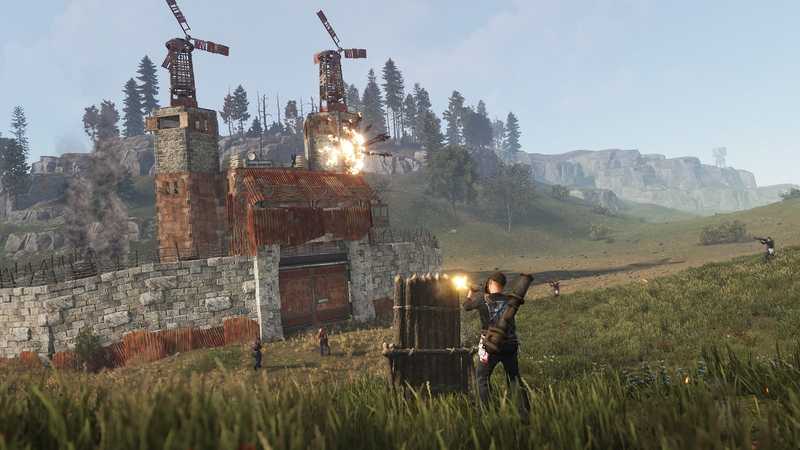
Forced wipes, map wipes and blueprint wipes in Rust, what each schedule feels like for a small group, and how to set your own on a private server.
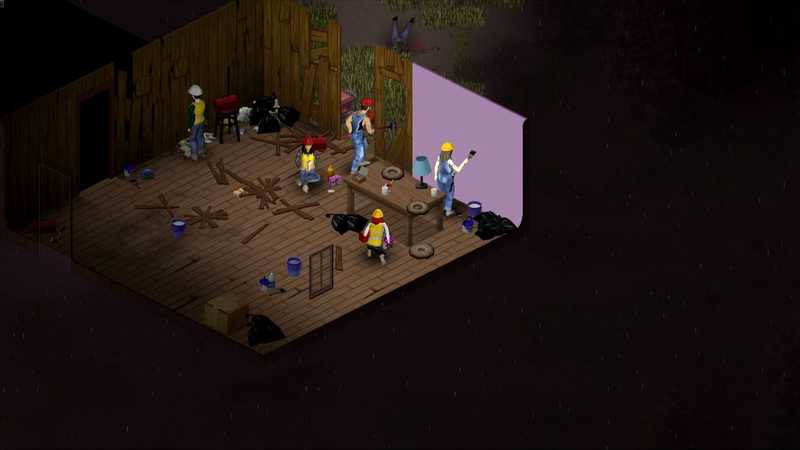
Host a Project Zomboid dedicated server on Windows: install, first-run admin password, servertest.ini settings, ports 16261 and 16262, mods and memory.
Nothing here yet for that topic. Pick another one, or tell us what you need and we will write it.
Skip the setup
Every guide here ends the same way: a server your friends can join whether you are online or not. We can just build that part for you.