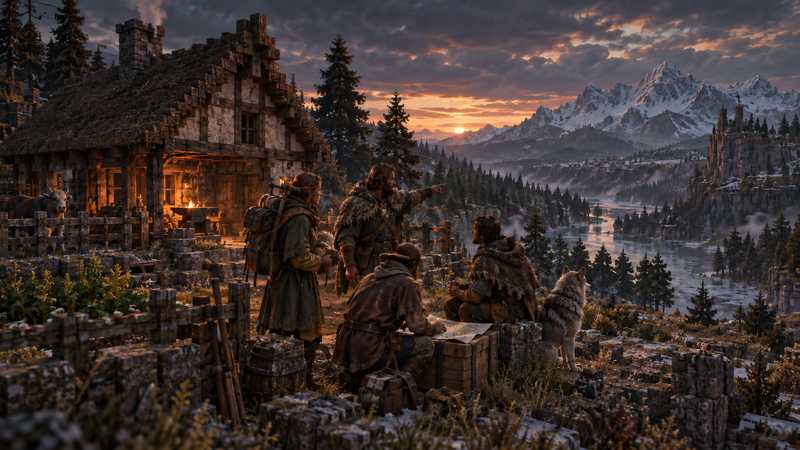
Vintage Story Wilderness Survival for Multiplayer Groups
See what Vintage Story Wilderness Survival changes for a group, from respawns and maps to land claims, storms, and shared-world setup.
You will need
- A group ready to agree on difficulty, regrouping, and shared-building rules
- A new Vintage Story world, or time to review its settings before inviting players
Vintage Story Wilderness Survival can work well for a multiplayer group that wants tougher combat and less guidance, but its defaults also make it harder to find one another and protect a shared base. In the current 1.22.7 preset, players have 10 HP, creatures are stronger, temporal storms are set to “often,” the random respawn radius is 5,000 blocks, and the world map, coordinate HUD, and land claims are off.
That does not mean players always spawn 5,000 blocks apart. It means the preset allows a much wider random respawn area than Standard. Decide how your group will regroup, share a settlement, and handle deaths before anyone creates the world.
What Wilderness Survival changes from Standard#
The current game-source presets make the contrast clear. Standard (surviveandbuild) offers more navigation and land protection, while Wilderness Survival raises the survival pressure and removes some of those aids.
| World rule | Wilderness Survival | Standard (surviveandbuild) |
What the group should expect |
|---|---|---|---|
| Player health | 10 HP | 15 HP | Less room for mistakes in combat. |
| Creature strength | 1.5× | 1× | Hostile encounters hit harder. |
| Cave-ins and gravity | Cave-ins on; sand, gravel, and soil can shift | Cave-ins off; sand and gravel | Mining and building need more care. |
| Random respawn radius | 5,000 blocks | 50 blocks | A death can make regrouping harder; this is a radius, not a guaranteed distance between players. |
| World map and coordinate HUD | Off | On | Players need shared landmarks and directions. |
| Land claiming | Off | On | The group cannot rely on the usual claim system to mark private builds. |
| Temporal storms | Often | Sometimes | Storms are more frequent in the Wilderness preset. |
| Hunger speed | 1.25× | 1× | Food planning matters more. |
| Lightning fires | On | Not enabled by the preset | A storm can create another threat around exposed builds. |
These are preset values, not a promise about a particular session or a tested multiplayer outcome. The official game source defines the current wildernesssurvival and surviveandbuild presets; game updates can change them.
Plan how the group will find one another#
The biggest coordination change is navigation. Wilderness Survival turns off both the world map and coordinate HUD, and it uses a 5,000-block random respawn radius. After a death, a player may return far from the settlement. The number does not mean every player will be thousands of blocks from the others, but it makes a distant respawn possible.
Before the first trip, choose recognizable landmarks and a simple way to describe routes: follow a river to a fork, keep a ridge on one side, or leave visible markers where the group agrees. Make the main base easy to describe from terrain that players can see. If someone dies, have a patient regroup plan instead of assuming the map will provide a quick route back.
If that sounds like friction rather than fun, customize the world. A smaller spawnRadius can narrow the random respawn area, and enabling the map or coordinate HUD gives players more ways to navigate. The Vintage Story world-settings reference lists the options and distinguishes fields marked creation-only. Check each setting’s current label before you create the save.
Agree on building rules before the first shelter#
Land claiming is disabled by the Wilderness preset. That changes how a shared settlement feels: players cannot use the normal claim system to reserve an area against edits from other players. It does not stop friends from choosing building zones or making private agreements, but the game’s claim protection is absent until the group changes that setting.
For a cooperative world, decide which structures are shared, where personal storage goes, and whether anyone should ask before moving or using another player’s work. If you want the Wilderness combat and survival rules but prefer protected plots, enable land claiming in the world’s settings. If the no-claims rule is part of the challenge, make the shared expectations clear and give server roles only to people who should administer the world.
The dashboard’s current Vintage Story world setup exposes presets and a Customize form for 64 world options, including land claiming. It marks options that apply only when a world is created. Self-hosted admins can use the game’s world configuration, but should check the current version’s instructions before changing an existing save.
Expect a harsher survival loop, not just tougher fights#
Wilderness Survival changes more than creature strength. It lowers player health to 10 HP, increases hunger speed to 1.25×, enables cave-ins and unstable soil, and makes temporal storms more frequent than Standard. Lightning can also start fires in this preset. Those choices raise the cost of a rushed expedition or an unprepared return to camp.
Make the first shared base a practical staging point. Keep food, tools, and spare materials where the group can find them, and agree on what to carry when someone heads out alone. If one player prefers a slower building-focused start, ask before locking everyone into the more demanding preset. Each player should have a separate Vintage Story account; the game’s current system requirements list Windows, macOS, and Linux, and do not list a console client.
Choose the preset that matches your group#
Choose Wilderness Survival when the group actively wants harsher combat, frequent temporal storms, sparse navigation aids, and no land claims. It rewards coordination, but every player should be comfortable with the risk of a difficult return after death.
Choose Standard if your group wants the traditional balance with map, coordinates, land claims, and a smaller respawn radius. Or start from Wilderness Survival and customize the navigation or claims rules that would otherwise create unwanted friction. For the full field-by-field list, use the multiplayer world-settings guide. If you are weighing memory for players who explore in different directions, see how much RAM a Vintage Story server needs; this preset alone does not establish a memory requirement.
Homo Sapiens is another hard-survival option, but it removes temporal mechanics and lore content. Check the current official preset definitions when comparing it; a complete side-by-side look at every preset belongs in a separate guide.
Make a group plan before creating the save#
Take a few minutes to agree on how your group wants the hard parts to work. The preset does not know whether friends want to build one settlement, explore separately, or meet only when they are online together. Those are different play patterns, and the same 5,000-block radius can feel exciting to one group and exhausting to another.
- Pick a home base people can describe. Choose a river bend, coastline, or mountain feature that is easy to recognize without coordinates. Decide who will help a player find it after a long respawn.
- Decide whether builds are shared. With land claiming off, agree where people can build and what should stay untouched. If that conversation sounds like work, enable claims before starting.
- Set expectations for deaths. Players drop their inventory by default in this preset. Talk through whether your group is happy to recover gear after a dangerous trip or wants to customize the rules.
- Agree on navigation aids. The default has no map or coordinate HUD. You can keep that challenge, or enable one or both before generating the world.
The dashboard’s world-creation form shows which options only apply when a world is created. If you are adjusting a save that already has a base, stop and read the field notes before changing anything. Make a backup and confirm that it can be recovered before you change or move a valuable world; this guide does not test a restore.
Check accounts and platforms before you start#
Vintage Story is a PC game with Windows, macOS, and Linux requirements. The publisher’s system-requirements page does not currently list a console client. Each person joining multiplayer needs their own Vintage Story account. Confirm those basics with the group before spending time tuning a shared world, and keep account authentication enabled.
Use a managed panel if you do not want to maintain the server#
If your group wants to spend time deciding its world rules instead of maintaining a server machine, Game Hosting’s Vintage Story server page shows plans and the current panel workflow for choosing a preset and customizing world options. That can make the selected rules easier to manage; it does not change the game’s survival mechanics or decide the right settings for your group.
The right choice is the one your friends will keep enjoying after the first death, storm, and long trip home. Settle navigation and building expectations first, then create the world with those choices in mind.
Quick answers
What does Wilderness Survival change in Vintage Story?
It makes survival harsher and exploration less guided: 10 HP, stronger creatures, cave-ins, frequent temporal storms, a 5,000-block random respawn radius, and no world map, coordinate HUD, or land claims by default.
Can you play Wilderness Survival with friends?
Yes. The preset works in multiplayer, but its respawn, navigation, combat, and land-claim defaults can make a shared world harder to coordinate. Agree on those trade-offs before creating the save.
Is there a map in Wilderness Survival?
The preset disables the world map and coordinate HUD by default. You can make a customized world with different navigation settings before starting.