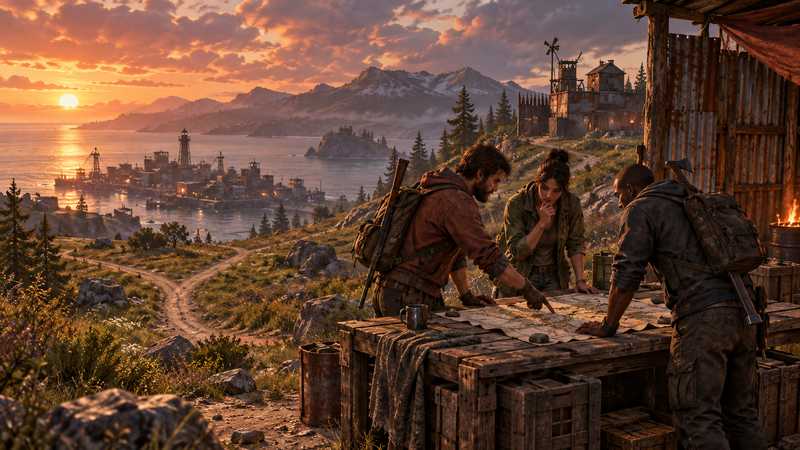

Play Rust With Only Friends: Choose a Server Model
Play Rust with only friends by choosing a shared server or your own PC world, and learn what team tools do, what privacy requires and what to verify.
You will need
- Confirmation that everyone plays PC Rust
- Agreement about whether the group wants a shared server or its own world
If you want to play Rust with only friends, first decide whether you mean “join the same server” or “keep strangers out of our world.” Rust’s team and party features help friends coordinate, but they do not turn a public server into a private one. You can play together on an existing server, or choose a separate PC Rust server whose operator controls the world and its admission rules. This guide helps your group pick between those models without assuming that anyone needs to buy hosting.
Decide whether “together” means same server or private world#
Write down the outcome before comparing server options. If the goal is to meet up, share map information and build together, joining the same existing server may be enough. If the goal is to choose the world rules or limit who can enter, your group needs a server whose operator can make and enforce those decisions.
Those are different kinds of control. A Rust team can share map positions and team chat. The party feature described in Facepunch’s Friends with Benefits update lets a party leader connect the group to a server. Neither feature gives the group control over an official or community server’s rules, reset schedule or admission policy.
| What your group wants | First option to consider | What you give up |
|---|---|---|
| Find each other and play on the same world | Join an official or community server together | The operator chooses rules, wipes and access |
| Pick custom rules or keep a separate world | Use a PC dedicated server your group controls | Someone must operate it or pay a provider to do that work |
| Start with no setup or bill | Try an existing server before deciding | You may need to change servers if its rules or population do not fit |
If your friends already enjoy a community server, there may be no reason to create another one. Agree on a server name, check its rules and make sure everyone can reach the same listing. Save the private-server decision for a real mismatch: a rule you cannot change, a schedule that does not suit the group, or a need to control who can join.
Join an existing server when its rules already fit#
An official or community server is the simplest starting point when your group mainly wants to play together. Choose a server whose published rules match your expectations for team size, player-versus-player combat, wipes and moderation. Then everyone joins that same server and forms a team in game. The Facepunch Teams guide describes the map, marker and chat features teams share.
Community servers can offer settings and rules chosen by their operators, but you do not control those choices as a player. Read the listing and the server’s own rules before investing a long wipe’s progress. If the rules change or the server closes, your group may have to move to another operator’s world.
This route works well when the existing experience is part of the appeal. You can learn Rust, find out which settings matter to your group and see whether everyone keeps playing before deciding to run a separate world. A team invite is for coordination after players have joined; it does not reserve a server for your friends or stop unrelated players from connecting.
If you want different rules but are happy to play in someone else’s community, look for another server before taking on ownership. If every available option misses an important requirement, then consider a separate world.
Choose your own PC world when the group needs control#
A separate Rust world makes sense when your group wants to choose its own server settings, manage its own community or decide who is allowed to enter. It is a dedicated-server arrangement: Rust’s server creation guide documents a server process separate from the player client. Treat that as a separate hosting route, not an unverified local co-op session.
Owning a world also means owning its decisions. Someone needs to decide the server name, play style, schedule, rules, access method and what happens when the operator is away. If the group only wants to roam and build together, that responsibility may not add enough value. If you want a predictable world that does not depend on a public server’s owner, it may be worth it.
Keep the word “private” precise. A separate address, an obscure listing or a group chat invite does not by itself prove that only approved players can join. The operator must choose and verify an admission method. Do not promise friends that strangers are blocked until the access rule has been tested with the account and route they will use.
The Rust for two players guide helps a duo agree on progression, access to a shared base and what happens when one person misses a session. It covers the relationship between players; this page covers the earlier choice of where the group plays.
Assign the operator before choosing home or managed hosting#
Once the group decides it wants its own PC world, choose who keeps it running. A home server can suit a group with a willing operator, suitable hardware and a network path friends can use. The operator also carries updates, backups, troubleshooting and the time cost of keeping the machine available. A PC that sleeps or loses its connection cannot serve as the group’s always-on world.
Managed hosting shifts the server machine and service operations away from a friend’s home PC, while your group still owns its rules and player decisions. If no one wants to maintain the computer or handle restarts, compare a managed Rust PC option. Game Hosting’s Rust service includes a game panel for settings, player management and scheduled restarts, plus three free backup slots. Those features can reduce routine operator work; they do not prove that a particular access route or restoration will work for your group.
If someone is happy to run the server at home, keep that option open and test it before investing in a permanent world. If you are comparing the work and cost of both routes, use the rent-versus-self-host decision guide. It focuses on machine, network, renewal cost and recovery responsibilities rather than how friends should play together.
Keep team invites and server admission separate#
Team and party tools help players cooperate once they are on the same server. Admission answers a different question: which accounts may connect to that server at all? An in-game team does not grant server access, and an operator password or admin role is not a substitute for a player admission policy.
Facepunch has a hidden and whitelisted server guide, but it labels that material as advanced and it is not a substitute for checking the current server build, plugins and control panel you use. Treat it as background. Do not copy an old plugin or console recipe into a live world without confirming that it remains supported and behaves as intended.
Before you invite everyone, test the chosen access method with an ordinary account and from the route friends will use. Record what should happen and what actually happened. A successful connection from the server machine does not prove that a friend outside your network can join. The Rust server setup guide explains how to verify the intended connection path and separates game traffic from query and remote-administration traffic.
Test the choice on a disposable first session#
Keep the first session reversible. If you joined an existing community, confirm everyone can find the same server and agree about its rules before building a long-term base. If you created a separate world, test the connection and admission method before making the world your group’s home. These checks validate your setup; they are not requirements that every group must rent a server.
For a home-hosted server, test from a friend on the intended network path rather than relying on the operator’s local connection. For a managed server, use the assigned game endpoint and account permissions provided for players. In either case, ask a non-admin friend to confirm the expected world and ordinary player experience. If the route or admission behavior is unclear, pause the full invitation and follow the setup guide’s checks first.
Avoid using a valuable world as the first test of an unverified route. Write down who owns the server, who can change its admission rules, where the group will find the current connection details and who can answer when the operator is away. A short record prevents the next player from confusing a team invite with permission to join.
Make the decision your group can revisit#
Use this small worksheet and choose the least complicated option that meets the group’s actual needs:
| Question | If the answer is yes | Next move |
|---|---|---|
| Are we fine with another operator’s rules and wipe schedule? | A public or community server may be enough | Pick one together and form a team after joining |
| Do we need our own settings, schedule or admission decision? | A separate PC dedicated server may fit | Assign an operator and choose home or managed hosting |
| Can a friend reliably keep a home machine available and maintain it? | Self-hosting is a possible route | Verify the external connection and recovery plan before a long session |
| Does nobody want to handle the server machine? | Managed hosting may reduce that work | Compare current plan details and confirm the controls your group needs |
| Do we only need to play together tonight? | A purchase may not solve a real problem | Join an existing server first |
Choose the smallest step that answers the open question. Try a community server before buying. Try a disposable private world before treating it as permanent. If you choose your own world, make one person responsible for the next check and agree on a date to revisit the decision. The right model is the one that gives your friends the access and control they asked for without assigning hidden work to one person.
Quick answers
Can I play Rust with just my friends?
Yes. You can join the same public or community server together, or arrange a separate PC dedicated server and decide who may connect.
Does a Rust team or party make a server private?
No. Team and party tools help friends coordinate or join together; the server operator controls admission separately.
Do we need to rent a server to play Rust together?
No. Your group can join an existing server. Renting is one option when you want an independently running world without taking on the host machine yourself.
Can one PC run Rust and its dedicated server at once?
The dedicated server and game client are separate processes, but that does not prove a particular PC can run both well. Check the current server requirements and test your own setup before committing a world to it.