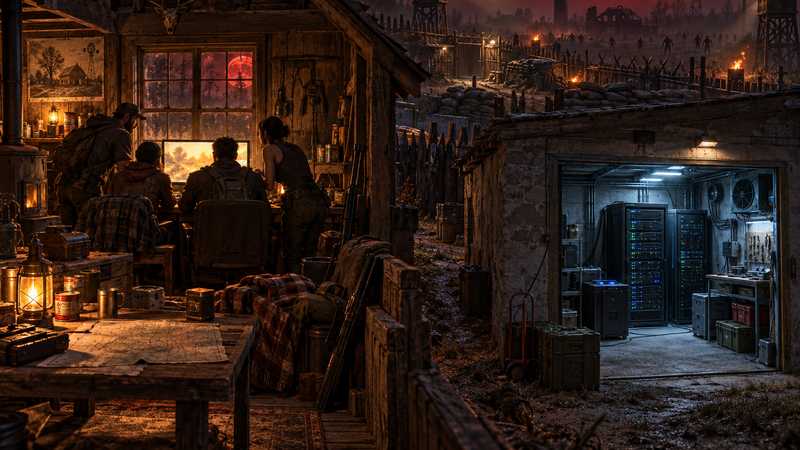

7 Days to Die Dedicated Server vs Non-Dedicated Hosting
Compare a 7 Days to Die dedicated server with menu-hosted co-op: world access, shared PC load, controls and platform limits, then choose for your group.
You will need
- Know which platforms and game versions your group uses
- Decide whether everyone can play while the usual host is online
A 7 Days to Die dedicated server vs non-dedicated choice comes down to one question: should your group’s world depend on a friend being in the game? A menu-hosted co-op session is the simplest way to play together at the same time. A dedicated server runs separately, so the usual host does not need to keep a character in the session. That server still needs a running machine and a working connection. Use the comparisons below to pick the mode that matches your schedule, computer and platform mix.
7 Days to Die dedicated server vs non-dedicated: what changes?#
“Non-dedicated” is a common way to describe a multiplayer world hosted from the game menu by one player. The host starts the world from their game, and friends join that session. The host’s game is part of the setup: if the host leaves, the same session is no longer there for friends to continue in.
A dedicated server is a separate process that loads the world without requiring the usual host’s game client to remain open. The person who owns or administers the server can still join as a player, but they do not have to keep their character connected for the server process to run. The official multiplayer troubleshooting guide treats a friend’s game as a peer-to-peer session and separately discusses dedicated-server connections and matching game versions.
“Dedicated” describes how the game server process runs; it does not mean you have to rent one. You can run a dedicated process on your own machine, on another PC, on a virtual server you administer, or through a managed game host. The difference from menu co-op is that there is now another process and machine arrangement for someone to maintain.
Who can play when the usual host leaves?#
For a group that chooses a dedicated server but does not want to operate the machine, we recommend comparing Game Hosting’s 7 Days to Die service as the managed option. Its game panel brings settings and player controls together, with scheduled restarts and three free backup slots. Those features can reduce routine server work; they do not guarantee uptime or remove the need to decide which world, version and mods your group wants.
Use this table to decide whether the change solves a real scheduling problem:
| Mode | What happens when the usual host leaves? | What must remain available? | Best fit |
|---|---|---|---|
| Game-menu co-op | Friends cannot continue in that same hosted session after the host exits | The host’s game session | Everyone plans to play together, and the host can be there |
| Dedicated process on the host’s PC | Friends may connect without the host playing, while the server process runs | The PC, server process and network connection | The host has enough machine headroom and accepts the upkeep |
| Dedicated process on another or managed machine | Friends may connect independently of the host’s game session | The separate machine or service and its network connection | The group plays at different times or wants the server off the gaming PC |
The table describes a process, not a promise that a world is online every hour. A self-hosted computer can shut down, lose internet or stop during an update. A managed server can also go offline for maintenance or a service issue. If your main question is how to keep a world available while friends play on different schedules, our persistent-server guide covers that narrower decision and what an empty-server check can establish.
If everyone is happy to wait until the host is ready, menu co-op avoids a separate server process and its recurring work. Paying for a dedicated server makes sense when the group will actually use its independent schedule, not simply because “dedicated” sounds like a higher setting.
Does a dedicated server reduce lag while you play?#
Not by itself. If the dedicated process runs on the same gaming PC as the player’s game, both use that computer’s processor and memory. The Fun Pimps’ hardware guidance says a dedicated server requires more RAM and heavier CPU use. That supports checking available headroom; it does not show that a dedicated process will improve every player’s frame rate or connection.
Running a separate server on a spare machine moves server work away from the PC being used to play. Renting a server also puts that process on another machine, but the player’s experience still depends on the server’s resources, the internet path between players and server, and the game workload. No current benchmark in this guide compares menu co-op and dedicated hosting on the same hardware, so treat performance as a setup-specific question rather than a guaranteed win.
It also helps to separate three symptoms. A low frame rate is a rendering problem on a player’s device. A hitch during a busy horde night may involve game simulation or shared CPU load. A delayed response can come from the network path. Moving the server process may change one part of that setup, but it will not fix a weak Wi-Fi connection, an incompatible client version or every game-side hitch. For a basic check, compare the same player’s experience when the host is nearby and when the world runs on a separate machine; do not call that a controlled performance test.
What control and upkeep change with a dedicated process?#
Menu co-op keeps the world close to the host’s game session. A dedicated process separates the server’s world and administration from the player client, which is useful when the group wants a stable place to return to. It also gives the server operator more jobs: keep a compatible build installed, decide when to update, protect the save and make sure the process and connection are available.
If you host the dedicated process yourself, those jobs belong to you or another friend. With a managed host, the provider maintains the server machine and connection while your group still owns its world choices, access rules and mod decisions. A control panel can make common settings and player tasks easier to reach, but do not assume every panel exposes every setting or handles every mod.
Version-specific instructions matter. Since V3.0, many gameplay options are carried in a SandboxCode; old guides that tell you to change removed gameplay properties in serverconfig.xml are not a current substitute. Check the V3 settings reference when you need to change server rules, and match the server and players to compatible game versions. The official V3.0 release notes describe the move to the newer sandbox options.
Backups are also an operator decision. Before changing versions, moving a save or changing a mod set, make a copy you know how to restore. A backup feature is useful only if it captures the world you intend and you understand the restore point. This guide does not claim a tested transfer or restore result. If you are choosing between running the server yourself and renting a machine, our self-host versus rent comparison goes deeper on network access, power and maintenance.
Can consoles and modded PC players use the same server?#
Sometimes, but choosing “dedicated” does not make a server compatible with every platform. The current The Fun Pimps dedicated-server cross-platform requirements require a maximum of 8 players, crossplay enabled, Easy Anti-Cheat enabled and IgnoreEOSSanctions set to False; the page also lists allowed ranges for several gameplay settings. The earlier official crossplay announcement explains that cross-platform servers must appear in the game’s server browser. Current console crossplay also requires a public listing and an unmodded server. For the full platform breakdown, use our PC, PS5 and Xbox crossplay guide.
Those rules apply to the modern PC, PlayStation 5 and Xbox Series X|S editions. The original Xbox One and PlayStation 4 release from 2016 is a separate legacy edition, so do not choose a server on the assumption it will join current crossplay. A console group should check the current in-game version and server listing before paying or moving a world.
Mods change the choice too. The official mod-use guidance says mods must match the game version and that The Fun Pimps does not support individual third-party mods. A PC group can choose a modded setup if the server and each player meet the mod author’s requirements; console players cannot join a modded crossplay server. Give the mod’s creator credit and verify its current supported build rather than assuming a host’s installer makes it compatible. Our server mod guide covers server-side file placement and the difference between modlets and client mods.
The current stable line is V3.3.0, with V3.3.0 experimental builds published separately by The Fun Pimps. As checked on October 11, 2026, the official V3.3.0 Stable notes and V3.3.0 EXP b18 thread identify those two channels. Stable and experimental are not interchangeable labels: confirm the exact compatible build with everyone before switching a shared world.
Can you keep an existing co-op world if you switch?#
Do not assume a menu-hosted save is automatically ready for a dedicated server. The world may include a generated map, player data, a game version and possibly a mod set. The official save-file guide explains where local saves and generated-world data are stored. It does not mean every save can be moved between versions or mod configurations without consequences.
Before changing modes, stop the game cleanly, make a separate copy of the save and note the current game version and mods. Check the target server’s instructions for which files it accepts and how it identifies the world. If a required map folder or player data is missing, the server may not load the same world you expect. Test a copy first and keep the original untouched until the group confirms it can reconnect and see its progress.
Moving a world is a separate task from choosing a mode. If the save is important and you are unsure which files belong together, use the developer’s current save guidance or get help from the person who will operate the server. Never promise that changing a server plan, branch or provider will repair an incompatible save.
Which mode should your group choose?#
Choose the mode that removes the problem your group actually has:
| Your group’s situation | Better starting point | Why |
|---|---|---|
| Everyone can join at the same time and the host is happy to start the game | Game-menu co-op | No separate server machine or server invoice is needed |
| Friends want to play while the usual host is away | Dedicated process | It can run independently of the host’s player session, if the machine and connection stay available |
| The gaming PC struggles while running the game and server together | Separate server machine or managed server | This moves the server process off the playing PC; it does not guarantee a faster connection or higher frame rate |
| The group mixes PC with PS5 or Xbox Series X | S | Either mode that passes current crossplay checks |
| The group wants an overhaul or other third-party mods | PC-only setup verified with each mod author | Mods can require matching files and a particular game build; consoles cannot join that modded crossplay server |
If one friend can reliably host and everyone wants to play together, start with the in-game session. Choose a dedicated process when the group needs a world outside that player’s schedule, wants server work off the gaming PC, or needs separate server administration. Then decide who is willing to handle the machine, updates, backups and access. For a dedicated server without home-machine upkeep, compare Game Hosting’s 7 Days to Die panel and plan details; for the ways to self-host a dedicated process, see the dedicated-server route guide.
The practical answer is not that one mode is always better. Menu co-op is simpler when the host is present. A dedicated server adds another process so the group can separate the world from that player’s game session. Choose it when that independence is worth the added machine and maintenance decisions.
Quick answers
What is the difference between a dedicated and non-dedicated server?
A non-dedicated game is hosted from a player’s co-op session; a dedicated server runs as a separate process that can be available while that player is offline.
Can you play 7 Days to Die without the host online?
Yes, if a dedicated server process is running and reachable. A server can still go offline during maintenance, a shutdown or a connection problem.
Is a dedicated server better for 7 Days to Die?
It fits groups that need separate schedules or want the server off the gaming PC. Co-op is simpler when everyone can play with the session host.