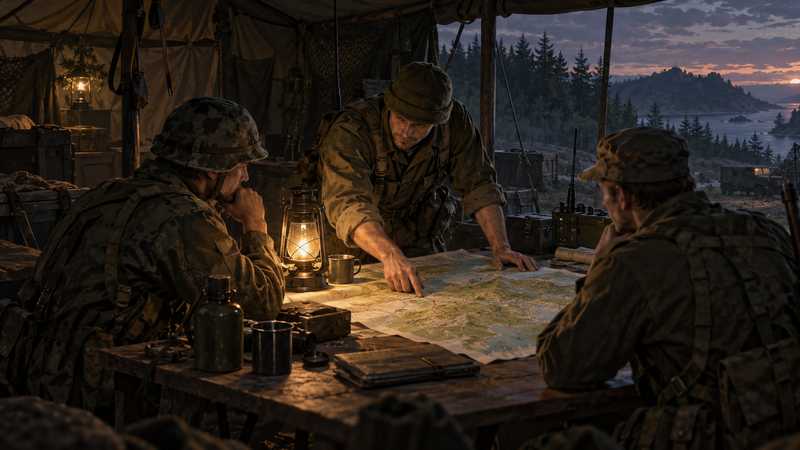

Arma Reforger Milsim Server: Unit Setup Field Guide
Set an Arma Reforger milsim server baseline for your unit: mod versions, cross-platform admins, realism settings, schedules and safe updates.
You will need
- A running Arma Reforger dedicated server
- A unit lead who can approve server and Workshop changes
- Your current scenario and mod IDs, if the unit uses mods
An Arma Reforger milsim server needs more than a scenario and a long mod list: the unit needs one agreed version baseline, clear admin roles and a change window that does not collide with operations. This runbook helps your S6 or server lead set those decisions before the next op. It uses Reforger’s Bohemia Workshop and JSON settings, separates game admins from panel access, and puts a recovery check before risky changes. It does not assume that a named mod pack has been tested on your hardware or every console.
If your unit wants to spend less time maintaining the host, Game Hosting’s Arma Reforger server page documents a panel for mod versions, settings, player admins, schedules and three free backup slots. The guide below shows the decisions the unit still needs to own, whichever host you choose.
Set the unit’s live-server baseline#
Write a short baseline where every member can find it. Record the server name, scenario ID, whether it is public or password-protected, the stable game version, cross-platform setting and the date the baseline was last checked. Give one person authority to approve changes; a chat message saying “I updated a few mods” is not an operations record.
Arma Reforger dedicated servers use a JSON configuration with game settings such as crossPlatform, admins, scenarioId and mods. Bohemia’s server configuration reference is the source for current field names and accepted values. Do not copy an Arma 3 server.cfg, command or Workshop instruction into a Reforger setup.
For a PC, Xbox and PS5 unit, the dedicated-server crossPlatform setting must include all three supported platforms. Bohemia documents the available choices as PC-only or PC with Xbox and PlayStation together; it does not offer a console-only pair. Cross-platform play is a server configuration choice, while the unit still needs matching game builds and compatible required mods.
Keep one mod list everyone can identify#
Treat the mod list as a versioned unit asset. Keep each item’s Bohemia Workshop ID, displayed name, author, required dependencies, selected version and the person who approved it in your change log. Reforger uses Bohemia Workshop; it is not the Steam Workshop used by Arma 3 guides. If you share a mod recommendation, credit its Workshop author and check the item’s current platform flags before calling it console-compatible.
The server configuration supports an optional version for each mod. If you omit it, the server uses the latest Workshop version, which means an author’s update can change the pack on a later start. Pin a version when you need the server to keep using a specific release while the unit reviews a change. A version pin is not an archived copy: Bohemia’s Workshop reference says it retains only the latest 50 versions, so do not use it as your only recovery plan.
| Change record | What to write down |
|---|---|
| Add or remove a mod | Workshop ID, exact title, author and reason |
| Change a pinned version | Previous and new version, approver and review date |
| Add a dependency | Parent mod and dependency IDs, with platform checks |
| Change the scenario | Old and new scenario IDs, save impact and recovery copy |
Start with the smallest mod set that supports the unit’s mission. A large count does not tell you how much memory it needs, whether dependencies boot or whether a console can download it. Bohemia allocates 25 GB for mods on PS5 and up to 50 GB on Xbox; those are platform allocations, not a promise that a member has that much free. Check each item’s current Reforger build and platform support in the Bohemia Workshop, then test the exact proposed list in an instance your unit controls before scheduling it for a live operation. Bohemia also notes that console mod support has different storage and performance limits than PC in its multiplayer support guidance.
Separate game admins from panel operators#
Give game-admin status to the people who need in-game authority, and give panel access only to the helpers who maintain the server. They solve different problems. A game admin can perform Reforger admin actions; a panel operator may change settings, mods, schedules or files depending on the provider’s permissions.
Reforger accepts Bohemia IdentityId values and SteamID64 values in the admin list, with a maximum of 20 entries. Use IdentityId for members who need admin access across PC, Xbox and PlayStation. Bohemia’s admin management reference distinguishes priority-queue eligibility too: that applies to listed IdentityIds, not SteamID64s. Never send the admin password to the whole unit as a substitute for assigning named admins.
On Game Hosting, the panel can add a live player to Reforger admins; the change applies after the next restart and follows the same 20-admin limit. The separate Team feature gives helpers their own panel login with owner-selected permissions. Do not confuse Team permissions with a Reforger admin entry, and do not assume panel access includes billing or owner-only account actions.
Choose realism settings the unit can explain#
Agree on settings that affect how the unit plays, then record the reason and who can change them. Reforger’s documented server properties include first-person-only play (disableThirdPerson), BattlEye, voice behavior and view-distance settings. These are policy choices, not a universal milsim preset. For example, a first-person-only rule may suit a realism event, while another unit may prefer different camera access for training.
For console crossplay, keep BattlEye enabled: the current platform requirements make it necessary for console players to join. If you change voice or view settings, tell members what to expect and validate the values against the live server configuration schema. A setting that appears plausible in JSON can still fail server validation or conflict with the unit’s rules.
The goal is a small, documented baseline rather than a long list of realism switches. Keep a copy of the prior config before editing, change one setting at a time and restart during a maintenance window. If the server does not start, inspect the current startup log and revert the last change instead of pasting an Arma 3 command from an old forum thread.
Schedule training and operations around the server#
Put routine restarts outside the unit’s operation window and publish the schedule in the same place as the baseline. A schedule is a coordination tool; it does not guarantee every player has downloaded the current game or mods by the start time. Pick a stable release channel for live operations and tell members when the unit will review changes.
As of October 13, 2026, Bohemia’s news index lists stable 1.8.0.13 and Experimental 1.9.0.10. The Experimental notice names Steam and Xbox Experimental applications; do not plan a mixed-console unit operation around a PS5 Experimental client that Bohemia has not listed. Check the official Reforger news feed before publishing an operation date because releases can change after this guide.
When the game updates automatically on a member’s platform, an old server build may no longer be a workable meeting point. Avoid a blanket promise to hold updates until every mod catches up. Instead, record the client/server build, check the required mod versions, then either move the unit to a compatible stable baseline or postpone the operation until the pack is ready.
Make a recovery decision before changing the live world#
Before a mod update, scenario change, wipe or restore, identify the save that matters and the copy you would recover. A backup slot existing is not proof that the copy is complete or that a restore has been tested. Check its date and contents, confirm who can apply it, and make a separate copy when the world is important to the unit.
If you use Game Hosting, its current Reforger page documents three free backup slots and panel controls to manage backups. Treat those as available controls, not as evidence that your unit’s restore was tested. Before applying a restore, read the panel’s warning about what it will replace and confirm the recovery target with the unit lead.
Use this pre-operation checklist#
Confirm the baseline
Check the server name, scenario, stable build and cross-platform choice against the unit’s shared record. Console members need the PC-plus-console cross-platform setting, BattlEye enabled and a compatible client build.
Review the mod change log
Compare Workshop IDs, authors, dependencies and pinned versions with the approved list. Ask console members to check storage and platform support before a required mod is added.
Check access and schedule
Confirm the right people have game-admin IdentityIds and panel roles, then make sure any restart or update window ends before the operation brief.
Protect the current save
Before a save-affecting change, verify the backup date, contents and recovery instructions. Do not proceed if the unit cannot identify a usable copy.
Announce the build and join details
Send the server name, password if used, scenario, stable build and required mod list. Tell members to allow time for Workshop downloads, especially after a version change.
If the unit needs broad route advice before choosing its host, start with every way to play Arma Reforger with friends. For the difference between a join password, browser visibility and admin rights, read the private-server guide. A PvP group planning a dedicated clan server for practice and scrims can use a narrower match-day checklist. A repeatable baseline, named access and a recovery decision give the next operation a much better chance of starting on time without pretending an untested mod pack is guaranteed.
Quest complete
Before you invite your friends, check that the intended world loaded and that each player can connect. If those checks pass, you're ready for a session; if you'd rather not keep a PC on, that's what we're here for.
Quick answers
How many mods can an Arma Reforger milsim server run?
There is no fixed safe mod count. Check each Workshop item’s dependencies, version and platform support, then measure your own server and console storage before expanding the pack.
Should a milsim unit run one server or two?
One server is simpler to administer; a separate test instance can reduce change risk if your unit can provision and maintain one. Confirm the extra resource and billing requirements with your provider.
Can Xbox and PS5 members join a modded milsim server?
They can join a cross-platform dedicated server on compatible builds, but each required mod must support their platform and fit its available storage.
Next objectives
Is Arma Reforger Crossplay? PC, Xbox and PS5 Explained
Is Arma Reforger crossplay? See how PC, Xbox and PS5 servers work, the crossplay setting, console mods, storage limits and version rules.
Arma Reforger Clan Server: Plan Practice and Scrims
Decide when an Arma Reforger clan needs a private server, then plan practice, scrims, member access, crossplay and safe match-day changes.

How to Play Arma Reforger With Friends: Every Option
How to play Arma Reforger with friends on PC, Xbox and PS5: compare public servers, PC hosting, home servers and renting.