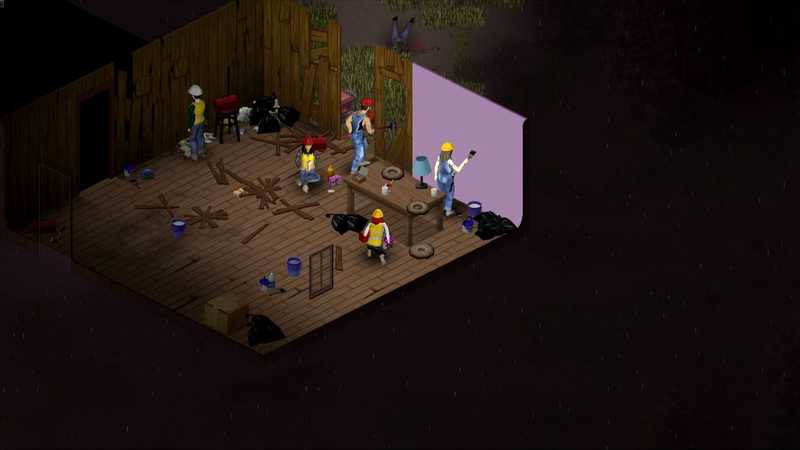

Project Zomboid multiplayer: set up a server for friends
Host a Project Zomboid dedicated server on Windows: install, first-run admin password, servertest.ini settings, ports 16261 and 16262, mods and memory.
You will need
- Steam with about 3 GB free
- A PC with 8 GB of RAM to spare while it runs
- Router access for port forwarding
- Friends who accept that the helicopter is not for them
Project Zomboid is a game about surviving a long time, which makes a server that disappears when the host logs off feel wrong. A dedicated server keeps Knox Country alive between sessions: your safehouse stays stocked, the generator keeps running down, and whoever logs in Tuesday finds the world exactly where Sunday left it. Here’s the full setup on Windows.
Install the server and set the admin password#
Install Project Zomboid Dedicated Server
In Steam, filter your library by Tools, find Project Zomboid Dedicated Server, install it. Then Manage → Browse local files to open the folder.
Run StartServer64.bat
Double-click
StartServer64.bat. The first run asks you to enter a new admin password in the console window, twice. Type it (you won’t see characters), press Enter. That’s your in-game admin login; the username isadmin.Wait for it to generate
The console prints a lot, then
*** SERVER STARTED ***. Close it cleanly withquittyped into the console. Now you have a config to edit.
Edit servertest.ini#
The server wrote its config to your user folder, not the install folder:
C:\Users\<you>\Zomboid\Server\servertest.iniOpen it in Notepad. The file is long; these are the lines that matter for a friend group:
PublicName=Knox County Night Shift
Public=false
Password=meaty-bits-7
MaxPlayers=16
PVP=false
PauseEmpty=true
Open=true
SaveWorldEveryMinutes=10Public=falsekeeps it off the browser; friends join by IP. Settrueand add aPublicDescriptionif you want it listed with a password.PauseEmpty=truefreezes time when nobody’s on, so the zombies don’t migrate and the food doesn’t rot while you’re at work. Most groups want this.PVP=falseis the sane default for co-op. Safehouses and faction settings live further down if you want claims.
Sandbox options (loot rarity, zombie count, XP multipliers) are in servertest_SandboxVars.lua next to it. Easier way: set them once from inside the game’s Host screen, then copy the values over.
Open the ports#
Project Zomboid uses UDP 16261 for the game and UDP 16262 for the direct player connection. On the current build those two are enough.
Reserve your PC's local address
In your router’s DHCP settings, pin your PC’s IP so the forwarding rule survives a reboot.
Forward UDP 16261 to 16262
Add a rule for UDP 16261-16262 pointing at your PC. Then confirm Windows Firewall allowed
java.exe(the server runs on Java); if it didn’t ask, add the inbound rule manually.
Give the server enough memory#
The server is a Java app and its memory is fixed at launch by the -Xmx flag in the start script. Open StartServer64.bat and look at the ProjectZomboid64 line. For a vanilla map and up to 8 players, 4 to 6 GB is comfortable:
-Xms4g -Xmx6gHeavy map mods, a lot of players, or long uptime want 8 GB or more. If the console starts printing memory warnings or the server stutters every few seconds, this is the number to raise.
Add mods (the part everyone eventually does)#
Zomboid without mods is rare. In servertest.ini, two lines control it:
WorkshopItems=2392709985;2503622437
Mods=tsarslib;BetterSortCC
WorkshopItems are the numbers from each mod’s Steam Workshop URL. Mods are the mod IDs from inside each mod’s page or its mod.info. Order matters for dependencies; the library mod goes first. Players who join download the mods automatically and are prompted to enable them.
Get your friends in#
In Project Zomboid: Join → Favorites → Add. Enter your public IP, port 16261, a display name, and the server password. Save it as a favorite. The first join downloads mods and takes a minute; after that it’s instant.
You connect from the same network with the local IP. The admin account and password you set on first run give you the admin panel in game (ESC → Admin), where you can teleport, spawn items and kick the friend who keeps opening doors during the helicopter.
Keeping it alive#
Restart the server when Steam updates the game, back up Zomboid\Saves\Multiplayer on a schedule, and don’t let Windows sleep. The server also writes a log with every restart in Zomboid\Logs; when something breaks, that’s where the answer is.
If you’d rather spend those hours in the world than around it, a rented server gives you the same servertest.ini, the same mods, and none of the port forwarding.
Quest complete
Before you invite your friends, check that the intended world loaded and that each player can connect. If those checks pass, you're ready for a session; if you'd rather not keep a PC on, that's what we're here for.
Quick answers
Can I host Project Zomboid from inside the game instead?
Yes, Host from the main menu runs a server on your PC while you play. It stops when you quit, and it fights your game for the same CPU. A dedicated server is the persistent option.
What ports does a Project Zomboid server use?
UDP 16261 for the game and 16262 for the first player connection, plus one extra port per additional player slot on older builds. Forward 16261 to 16262 and you cover current versions.
How much RAM does a Project Zomboid server need?
Four to six gigabytes for a small group on the vanilla map. Heavy map mods and many players push it toward eight or more. The launch script sets the Java heap.
How do I add mods to the server?
List the Workshop IDs in WorkshopItems and the mod IDs in Mods inside servertest.ini, separated by semicolons. Players get the mods automatically when they join.
Next objectives

Project Zomboid Automatic Server Backup: Schedule and Check It
Schedule a Project Zomboid server backup, check that a fresh archive exists, and rehearse a restore without risking your live world.
Project Zomboid Server on a Spare PC: Readiness Check
Can a spare PC run a Project Zomboid server? Check its workload, uptime, electricity, and recovery before relying on it for your group.
Project Zomboid Dedicated Server on Raspberry Pi: Limits
Check Project Zomboid dedicated server Raspberry Pi compatibility before buying: the current Linux files are x86-64, and emulation is unverified.