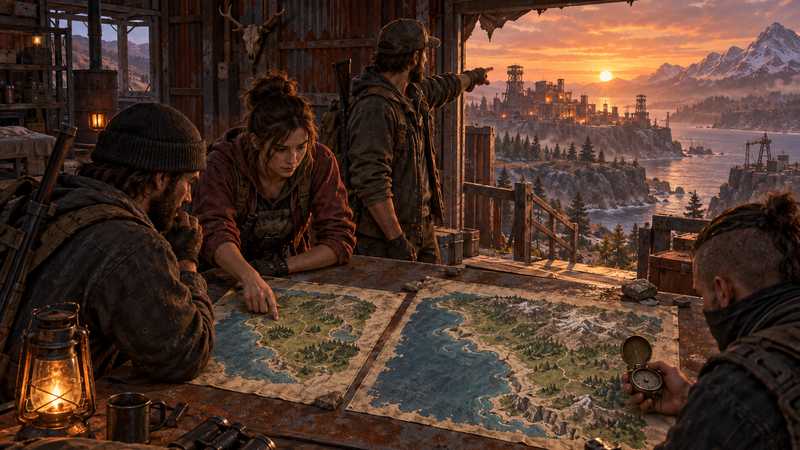

Rust Server Map Size: Choose for Your Group’s Play Style
Choose a Rust server map size by testing your group’s routes, activity zones, and upkeep needs, then compare a staging world before wipe day.
You will need
- A Rust PC server or disposable test identity
- Agreement on your group’s travel and encounter goals
- A way to inspect candidate procedural maps
- Access to current server settings and a planned reset window
The right Rust server map size depends on how your group wants to travel and play, not on a slot count or a universal player formula. Compare a few procedural candidates, inspect the routes and activity areas each one actually generates, then record your own resource observations on a disposable world. This gives you a reasoned choice for the next map instead of a number copied from another server. The official size range is broad, and the largest maps use more memory.
Choose the travel and encounter pace your group wants#
Start with a short group agreement about the evenings you actually play. A group that meets for a few hours and wants to find rivals quickly may value shorter trips between its usual activities. A group spread across different schedules may prefer more room to roam when only a few people are online. Those are design preferences, not promises about what a particular seed will produce.
Write the answers down before opening a map gallery or changing a setting:
| Question | Record for your group | Why it matters |
|---|---|---|
| When do most people play together? | Days and approximate session length | Short sessions leave less time for long cross-map trips. |
| Which activities should be reachable in one session? | The group’s routine and destinations | A map should support the way your group spends time. |
| How much travel feels enjoyable? | Short, mixed, or long journeys | Your preference is more useful than another server’s slot count. |
| How often will only a few people be online? | Typical low-attendance periods | The map still needs to feel usable outside peak time. |
There is no official conversion from slots, clan size, or peak population to server.worldsize. Even two servers with the same maximum players can have different activity patterns, play windows, and expectations. Start with those patterns rather than treating your plan’s slot allowance as a map recommendation.
If the group cannot agree yet, keep the current world as the control and compare alternatives before changing it. A quick vote on travel pace is cheaper than explaining after wipe day that somebody selected a number because a provider used it in a plan description.
Set a Rust server map size within official limits#
For a procedural world, Facepunch’s server setup guidance documents server.worldsize values from 1000 to 6000. It says larger maps use more disk space and memory, and specifically warns that a 6000 map uses more RAM. The same page lists 12 GB of free RAM and 15 GB of free disk space as general guidance, while noting that resource needs vary by use case and population. Those figures do not guarantee that a particular map, plugin set, or group will run well on a given machine.
Use the documented range as a boundary for candidate selection, not as a ready-made preset:
| Candidate | Record this before you compare | Do not assume |
|---|---|---|
| Current size | Current generation value and the group’s experience | That a familiar world is still a good fit after the group changes. |
| Smaller candidate | A valid value within 1000–6000 and expected shorter routes |
That it will eliminate lag or suit a different seed. |
| Larger candidate | A valid value within 1000–6000 and expected extra travel room |
That the host’s advertised player guidance covers this workload. |
Choose actual candidate numbers from the documented range based on the group’s comparison. Facepunch does not publish a universal table translating map size into ideal player count, encounter frequency, or performance. Map-size tables on hosting and community sites can provide context, but their examples are not a benchmark for your server. Compare the same Rust build and planned plugins when you test.
The product page’s player recommendations describe catalog fit, not tested map capacity. If you plan to delegate the server, ask what world settings the host exposes before buying; do not assume a plan recommendation settles your map choice.
Compare actual routes instead of assuming equal maps#
The worldsize value does not tell you where the useful coast, roads, or routes will land. Rust procedural maps vary, so inspect each generated candidate against your group’s written goals. Look at the paths players would take between the areas they care about, the stretches they consider too quiet, and any places that make a trip feel impractical during their usual session.
Compare candidates using the same small set of questions:
| Observation | Candidate A | Candidate B | Candidate C |
|---|---|---|---|
| Main routes the group would use | |||
| Typical trip that looks too long | |||
| Activity areas accessible in a normal session | |||
| Space the group would actually build in | |||
| Question still unresolved |
Use a preview if one is available, then validate important observations in the generated world. A screenshot can hide obstacles, and a preview service may not include every generation update. If you cannot confirm a route or useful area, mark it unknown and decide whether that uncertainty matters to the group. Do not claim a map preview proves monument coverage; the dedicated monument check belongs to a separate workflow.
The September 3, 2026 Facepunch update reports improved rock and cliff spawning on procedural maps. That is a reminder that generated layouts can change; it does not establish that a certain size creates a specific route or a better server workload. Inspect the current candidate rather than relying on a seed or screenshot from an older build.
Keep size separate from seed and map type#
Procedural generation uses more than one input. Facepunch’s Map Data reference documents server.worldsize for size, server.seed for the generation seed, and server.level for the map type. It describes the resulting procedural map file name as containing its type, size, and seed. Changing one input does not answer the choices controlled by the others.
| Input | What it selects | Separate decision |
|---|---|---|
server.worldsize |
Procedural map size, within the documented range | How much room and travel your group wants to compare. |
server.seed |
The procedural generation seed | Terrain and layout priorities for the chosen size. |
server.level |
The map type | Whether you are using a procedural or supported custom-map route. |
Keep C07’s decision narrow: pick candidate sizes for a procedural map. The Rust server settings guide explains how to identify where a setting comes from and verify its effective value. Use a separate seed comparison when you already know the intended size. A custom map is a different path: Facepunch documents +server.levelurl for hosted custom maps and says to remove procedural +server.worldsize and +server.seed parameters for that setup.
For syntax only, Facepunch’s server example uses arguments like these:
+server.level "Procedural Map"
+server.worldsize <chosen-size>
+server.seed <chosen-seed>
The placeholders are not recommended values. Check your panel or startup method for the actual setting source, and do not add a second copy of an argument just because its value looks plausible.
Measure candidate resource use on a disposable world#
Facepunch’s documented memory and disk values are starting guidance, not a prediction for your server. There is no Game Hosting benchmark behind this guide, and we have not measured startup time, memory use, or storage for each map size. If the decision depends on resource use, compare your own candidates on staging before replacing a world your group cares about.
Keep the comparison controlled. Use the same Rust server build, the same seed where it remains valid, the same framework and plugin set, and the same machine. Change the map size between runs rather than running multiple test worlds together. Note when the server is ready, when memory settles after generation, and how much storage the generated world and its supporting files occupy. Record the operating system and measurement method so the next administrator can repeat the comparison.
| Observation to record | Candidate A | Candidate B | Candidate C |
|---|---|---|---|
| Rust build, seed, plugins, and host | |||
| Time until ready after map generation | |||
| Server process memory during the same observation window | |||
| Generated world and related storage | |||
| Result at the group’s normal test load |
Leave blank any reading you did not take. A single quiet startup does not predict a busy wipe evening, and a smaller value does not prove a lag problem will disappear. If a candidate reaches a resource limit or its results vary widely, stop and investigate the host, workload, or test setup before committing to it.
Schedule your choice as a new-map decision#
Changing the text of server.worldsize does not mean an already generated saved world reshapes itself in place. Treat a new size as a new-map or reset decision, confirm how the current host applies it, and protect the old world until the group accepts the replacement. Back up the correct identity before any reset; the server settings guide can help you verify which source controls the value.
Once the group has chosen its seed and size, follow this Rust seed-change procedure to apply the new procedural inputs and verify the resulting map without assuming other data should reset.
Record the approved generation inputs
Write down the chosen procedural size, seed, Rust build, and the reason the group selected them. Keep any test-world settings separate from production.
Confirm the host’s change process
Check the current panel or provider instructions for how it applies a new size and which action creates the next world. Do not infer the behavior from another provider’s panel.
Protect the active world and choose a window
Confirm the identity and recovery copy, notify players about the planned reset, and agree on when the new map begins. Stop if no one can verify that the old world is recoverable.
Validate the generated world before inviting everyone
Check the recorded size and seed, inspect the routes that drove the choice, and confirm the server starts and saves as expected before the group moves in.
For a managed PC world, we recommend Game Hosting’s Rust hosting with Ryzen 9 hardware, DDR5 memory, an integrated panel and free backups. Select memory against the map and workload you measured; player suggestions do not guarantee a particular map will fit. This service does not host Console Edition.
Quest complete
Before you invite your friends, check that the intended world loaded and that each player can connect. If those checks pass, you're ready for a session; if you'd rather not keep a PC on, that's what we're here for.
Quick answers
Is there one best map size for a small friend group?
No official slot-to-size formula picks a best world for every group. Compare the routes and play space you want, then test candidate maps before choosing.
Will a smaller map always fix Rust server lag?
No. Map size is one workload factor, and hardware, population, plugins, and other conditions matter. Compare measurements from your own server instead of treating a smaller value as a guarantee.
Can I change worldsize without planning a new world?
Treat a size change as a new-map or reset decision. Confirm your host’s current controls, save a recovery copy, and agree on timing before applying it.
Next objectives

Rust Family Private Server: Access and Content Controls
Review Rust PC’s mature content, server admission, chat controls, and supervision needs before deciding whether a private family server fits.
Play Rust With Only Friends: Choose a Server Model
Play Rust with only friends by choosing a shared server or your own PC world, and learn what team tools do, what privacy requires and what to verify.

Rust Server Discord Integration: Route Alerts Safely
Plan a safer Rust server Discord integration: route reports to private channels, limit bot permissions, test staff actions, and plan for delivery failures.