Valheim console commands and cheats
All 161 console commands in Valheim 1.0.17, from the game’s own code: what each does, which needdevcommands, and which work on a dedicated server. Looking for item IDs? The item database has the spawn ID of every item.
How to open the console
- Turn the console on. Settings → Gameplay → console on, or add
-consoleto the launch options (Steam: right-click Valheim → Properties → Launch options). - Press F5 in game. It’s a normal key binding, so you can change it in the controls.
- Type
devcommandsfor cheats. The first cheat on a character asks forconfirmcheats, which marks that character as cheated for good.
On a dedicated server
Cheats like god, fly and spawn only run on the machine that is the server, so nobody can use them on a dedicated server. Players on the server’s admin list can send 19 commands to the server instead: time, world keys and modifiers, kick, ban and save. They’re marked Admin on a serverbelow.
On a Game Hosting server you edit the admin, ban and permitted lists in the panel, no files.
Cheats (need devcommands) 72
Type devcommands first. These run in single player and for the player hosting the world; on a dedicated server only the ones marked “Admin on a server” work, and only for admins.
| Command | What it does | Where it works |
|---|---|---|
addstatus [name]e.g. addstatus Rested | Adds a status effect (ex: Rested, Burning, SoftDeath, Wet, etc) | Single player or host |
adrenaline | Sets adrenaline level | Single player or host |
aggravate | Aggravated all nearby neutrals | Single player or host |
altbioms | List of biomes with modifiers | Single player or host |
biomeinfo | Info about current biome sector | Single player or host |
catch [fishname] [level]e.g. catch Fish1 3 | Simulates catching a fish | Single player or host |
cinematic [name] | Play cinematic | Single player or host |
cinematicsleep [name] | Play cinematic on next sleep for everyone | Single player or host |
clearstatus | Clear any status modifiers | Single player or host |
confirmcheats | Confirms that you want to use cheats; the game asks for it before the first cheat on a character, and marks that character as cheated for good.Not listed by help. | Admin on a server |
debugmode | Fly mode | Single player or host |
devcommands | Turns cheats on or off. On a server, it’s also sent to the server, so an admin can use the server-side cheats.Not listed by help. | Admin on a server |
dpsdebug | Toggle dps debug print | Single player or host |
env [env]e.g. env Clear | Override environment | Single player or host |
event [name]e.g. event army_eikthyr | Start event | Single player or host |
exploremap | Explore entire map | Single player or host |
find [text] [pingmax]e.g. find Vendor_BlackForest | Searches loaded objects and location list matching name and pings them on the map. pingmax defaults to 1, if more will place pins on map instead | Single player or host |
findbiome | Marks center of all biomes on map of type or containing modifier with search string | Single player or host |
findbiometp | Finds the closest biome matching your search and teleports you to it | Single player or host |
findtp [text] [index=-1] [closerange=30]e.g. findtp Vendor_BlackForest | Searches loaded objects and location list matching name and teleports you to the closest one outside of closerange. Specify an index to tp to any other in the found list, a minus value means index by closest. | Single player or host |
fly | Fly mode | Single player or host |
forcedelete [radius] [*name]e.g. forcedelete 10 | Force remove all objects within given radius. If name is entered, only deletes items with matching names. Caution! Use at your own risk. Make backups! Radius default: 5, max: 150. | Single player or host |
ghost | Ghost mode: enemies ignore you. | Single player or host |
god | Invincible mode | Single player or host |
goto [x,z]e.g. goto 0,0 | Teleport | Single player or host |
heal | Heal to full health & stamina | Single player or host |
inventorysize | Sets inventory size | Single player or host |
itemset [name] [item level override] [keep] | Spawn a premade named set, add 'keep' to not drop current items. | Single player or host |
killall | Kill nearby creatures | Single player or host |
killenemies | Kill nearby enemies | Single player or host |
killenemycreatures | Kill nearby enemies | Single player or host |
killtame | Kill nearby tame creatures. | Single player or host |
listkeys | Lists the world keys that are set. | Admin on a server |
location [SAVE*] | Spawn location (CAUTION: saving permanently disabled, *unless you specify SAVE) | Single player or host |
nextseed | Forces the next dungeon to a seed (CAUTION: saving permanently disabled) | Single player or host |
nocost | No build cost | Single player or host |
nospawn | Toggles natural spawning of monsters | Single player or host |
pevents | Subcommands: [list/start/stop/here] | Single player or host |
players [nr]e.g. players 3 | Force diffuculty scale ( 0 = reset) | Admin on a server |
printcreatures | Shows counts and levels of active creatures | Single player or host |
printlocations | Shows counts of loaded locations | Single player or host |
printnetobj [radius = 5] | Lists number of network objects by name surrounding the player | Single player or host |
puke | Empties your stomach of food | Single player or host |
raiseskill [skill] [amount]e.g. raiseskill Swords 100 | Raises a skill by an amount. | Single player or host |
randomevent | Start a random event | Single player or host |
recall [*name] | Recalls players to you, optionally that match given name | Single player or host |
removekeyplayer [name] | Removes a key from your own character. | Single player or host |
repairall | Repairs all equipment | Single player or host |
resetcharacter | Reset character data | Single player or host |
resetenv | Disables environment override | Single player or host |
resetkeys [name] | Clears every world key and your player keys. | Admin on a server |
resetmap | Reset map exploration | Single player or host |
resetskill [skill]e.g. resetskill Swords | Resets a skill to 0. | Single player or host |
resetwind | Gives the wind back to the weather. | Single player or host |
respawntime | Sets respawntime | Single player or host |
setfuel [amount=10]e.g. setfuel 10 | Sets all light fuel to specified amount | Single player or host |
setkeyplayer [name] | Sets a key on your own character. | Single player or host |
setpower [name]e.g. setpower GP_Eikthyr | Sets your current guardian power and resets cooldown (ex: GP_Eikthyr, GP_TheElder, etc) | Single player or host |
skiptime [gameseconds]e.g. skiptime 600 | Skips head in seconds | Admin on a server |
sleep | Skips to next morning | Admin on a server |
snow [amount] | Adds/removes amount of snowbuild on all nearby buildpieces | Single player or host |
spawn [amount] [level] [radius] [p/e/i]e.g. spawn Troll 1 3 | Spawn something. (End word with a star (*) to create each object containing that word.) Add a 'p' after to try to pick up the spawned items, adding 'e' will try to use/equip, 'i' will only spawn and pickup if you don't have one in your inventory. | Single player or host |
stopevent | Stop current event | Single player or host |
stopfire | Puts out all spreading fires and smoke | Single player or host |
stopsmoke | Puts out all spreading fires | Single player or host |
tame | Tame all nearby tameable creatures | Single player or host |
timescale [target] [fadetime, default: 1, max: 3]e.g. timescale 0.5 | Sets timescale | Single player or host |
tode.g. tod 0.5 | -1 OR [0-1] | Single player or host |
tombstone [name]e.g. tombstone Ragnar | Creates a tombstone with given name | Single player or host |
unlockcinematics | Toggles unlocking all cinematics in the main menu | Single player or host |
vegetation | Spawn vegetation | Single player or host |
wind [angle] [intensity]e.g. wind 90 0.5 | Sets the wind’s direction and strength. | Single player or host |
Server and admin commands 17
World keys, world modifiers, kicks, bans and saves. On a dedicated server they run for players on the admin list.
| Command | What it does | Where it works |
|---|---|---|
achievements | Shows player achievement info | Single player or host |
ban [name/ip/userID]e.g. ban PlayerName | Ban user | Admin on a server |
banned | List banned users | Admin on a server |
genloc | Regenerate all locations. | Admin on a server |
getstat | Get specific stat | Single player or host |
kick [name/ip/userID]e.g. kick PlayerName | Kick user | Admin on a server |
noportals | Disables portals for server. | Single player or host |
removekey [name]e.g. removekey nomap | Removes a world key.Shown in help after devcommands. | Admin on a server |
resetworldkeys [name] | Resets all world modifiers to default | Admin on a server |
restartparty | Restart playfab party network | Admin on a server |
save | Force saving of world and resets world save interval | Admin on a server |
setkey [name]e.g. setkey playerdamage 125 | Sets a world key (a world modifier like playerdamage 125, or a boss key like defeated_eikthyr).Shown in help after devcommands. | Admin on a server |
setworldmodifier [name] [value]e.g. setworldmodifier combat hard | Sets a world modifier value | Admin on a server |
setworldpreset [name]e.g. setworldpreset hardcore | Resets all world modifiers to a named preset | Admin on a server |
stats | Shows player stats | Single player or host |
unban [ip/userID]e.g. unban 76561198000000000 | Unban user | Admin on a server |
updatecover | Force update cover refreshShown in help after devcommands. | Single player or host |
Everyday commands 47
Chat, binds, graphics, your map and your own character. Anyone can use them, no cheats needed.
| Command | What it does | Where it works |
|---|---|---|
beard | Change beardShown in help after devcommands. | Anyone |
bind [keycode] [command and parameters] | Bind a key to a console command. note: may cause conflicts with game controls | Anyone |
clear | Clear the console window | Anyone |
clearpopups | Stops all current unlock UI messages | Anyone |
cr | Unloads unused assetsShown in help after devcommands. | Anyone |
die | Kill yourself | Anyone |
exclusivefullscreen | Changes window mode to exclusive fullscreen, or back to borderless | Anyone |
ffsmooth | Freefly smoothness | Anyone |
filtercraft [name] | Filters crafting list to contain part of text | Anyone |
fov | Changes camera field of view | Anyone |
freefly | Freefly photo mode | Anyone |
gc | Shows garbage collector informationShown in help after devcommands. | Anyone |
hair | Change hairShown in help after devcommands. | Anyone |
haslocation | Check if zone has locationShown in help after devcommands. | Anyone |
height | Prints height from worldgen at current position | Anyone |
help | Shows a list of console commands (optional: help 2 4 shows the second quarter) | Anyone |
hidebetatext | Hides the beta text in the corner.Not listed by help. | Anyone |
info | Print system info | Anyone |
inventoryclean | Throws out any items in inventory on invalid positions | Anyone |
lodbias | Set distance lod bias | Anyone |
maxfps [FPS]e.g. maxfps 120 | Sets fps limit | Anyone |
model | Change player modelShown in help after devcommands. | Anyone |
nomap | Disables map for this character. If used as host, will disable for all joining players from now on. | Anyone |
optterrain | Optimize old terrain modifications | Anyone |
ping | Ping server | Anyone |
pos | Print current player positionShown in help after devcommands. | Anyone |
printbinds | Prints current binds | Anyone |
printseeds | Print seeds of loaded dungeons | Anyone |
removebirds | Remove all birdsShown in help after devcommands. | Anyone |
removedrops | Remove all item-drops in areaShown in help after devcommands. | Anyone |
removefish | Remove all fishShown in help after devcommands. | Anyone |
resetbinds | Resets all custom binds to default dev commands | Anyone |
resetbuildui | Resets build ui save data that stores recent and favoritesNot listed by help. | Anyone |
resetknownitems | Reset character known items & recipes | Anyone |
resetplayerprefs | Resets any saved settings and variables (not the save game)Not listed by help. | Anyone |
resetsharedmap | Removes any shared map data from cartography table | Anyone |
resetspawn | Resets spawn location | Anyone |
s | Shout message | Anyone |
say | Chat message | Anyone |
sortcraft [type] | Sorts crafting lists according to setting | Anyone |
test [key] [value] | Set test string, with optional value. set empty existing key to removeNot listed by help. | Anyone |
time | Shows current timeShown in help after devcommands. | Anyone |
tutorialreset | Reset tutorial data | Anyone |
unbind [keycode] | Clears all binds connected to keycode | Anyone |
w [playername]e.g. w PlayerName hello | Whispers a private message to a player | Anyone |
xb:version | Prints mercurial hashset used for this build | Anyone |
yesiuseddevcommandsbutiwantmyachievementsanyway [1 = true/ 0 = false] | Normally cheated items / pieces don't trigger achievements. Turn this on to disable cheat checks.Shown in help after devcommands. | Anyone |
Emotes 25
Type them in chat or the console to play the animation.
| Command | What it does | Where it works |
|---|---|---|
blowkiss | Emote: BlowKiss | Anyone |
bow | Emote: Bow | Anyone |
challenge | Emote: Challenge | Anyone |
cheer | Emote: Cheer | Anyone |
comehere | Emote: ComeHere | Anyone |
cower | Emote: Cower | Anyone |
cry | Emote: Cry | Anyone |
dance | Emote: Dance | Anyone |
despair | Emote: Despair | Anyone |
flex | Emote: Flex | Anyone |
headbang | Emote: Headbang | Anyone |
kneel | Emote: Kneel | Anyone |
laugh | Emote: Laugh | Anyone |
loveyou | Emote: LoveYou | Anyone |
nonono | Emote: NoNoNo | Anyone |
point | Emote: Point | Anyone |
relax | Emote: Relax | Anyone |
rest | Emote: Rest | Anyone |
roar | Emote: Roar | Anyone |
shrug | Emote: Shrug | Anyone |
sit | Emote: Sit | Anyone |
thumbsup | Emote: ThumbsUp | Anyone |
toast | Emote: Toast | Anyone |
vibe | Emote: Vibe | Anyone |
wave | Emote: Wave | Anyone |
No command matches. Try another word.
Spawn commands
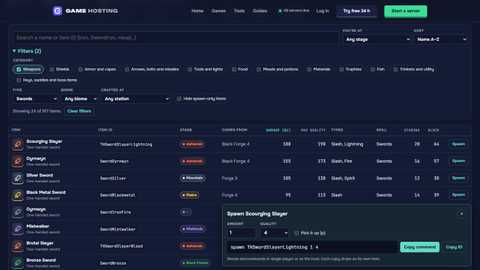
spawn <ID> [amount] [level] drops things in front of you. For items the level is the quality, up to 4; for creatures it’s the star level, up to 9 (level 3 is a two-star). Add p to pick items up. A few to try:
spawn Iron 30 pIronspawn BlackMetal 30 pBlack Metalspawn FlametalNew 30 pFlametalspawn SerpentStew 10 pSerpent Stewspawn BeltStrengthMegingjordspawn WishboneWishbonespawn Troll 1 3a two-star Troll
Every item ID is in the item database, with a builder for the amount and quality.
World modifiers with setkey
The World Modifiers screen writes world keys. You can set the same ones from the console with setkey (or setworldmodifier combat hard). These exact values don’t count as cheats; other values do. Remove one with removekey, or reset them all with resetworldkeys.
Portals
Changes how portals work in the game.
| Setting | Keys to set |
|---|---|
| Portal Items | setkey teleportallAllows you to bring all items with you through portals for a more casual playstyle. This will circumvent the progression and exploration of the world as it is intended. |
| NormalDefault | No key (the default) |
| No boss portals | setkey nobossportalsYou will not be able to use portals or exit boss dungeons while a boss is active. |
| No portals | setkey noportalsYou will not be able to use portals to teleport yourself across the world. |
Combat
Governs how much damage you give and take. Also governs how likely you are to encounter higher leveled enemies, and how dangerous they are.
| Setting | Keys to set |
|---|---|
| Very Easy | setkey playerdamage 125setkey enemydamage 50setkey enemyspeedsize 90 |
| EasyDefault | setkey playerdamage 110setkey enemydamage 75setkey enemyspeedsize 95 |
| Normal | No key (the default) |
| Hard | setkey playerdamage 85setkey enemydamage 150setkey enemyspeedsize 110setkey enemyleveluprate 120 |
| Very Hard | setkey playerdamage 70setkey enemydamage 200setkey enemyspeedsize 120setkey enemyleveluprate 140 |
Death penalty
Governs what happens when you die.
| Setting | Keys to set |
|---|---|
| Casual | setkey deathkeepequipsetkey skillreductionrate 15You do not drop equipped gear, and skills are reduced a lot less than on normal mode. |
| Very EasyDefault | setkey skillreductionrate 15You drop all items, and skills are reduced a lot less than on normal mode. |
| Easy | setkey skillreductionrate 50You drop all items, and skills are reduced less than on normal mode. |
| Normal | No key (the default)You drop all items, and skills are reduced normally. |
| Hard | setkey deathdeleteunequippedsetkey skillreductionrate 150Equipped items are dropped, the rest of your inventory is lost permanently, and skills are reduced faster. |
| Hardcore | setkey deathdeleteitemssetkey deathskillsresetYou lose all carried items and skills permanently. |
Raids
Governs how often enemies may raid your base.
| Setting | Keys to set |
|---|---|
| None | setkey eventrate 0 |
| Much Less | setkey eventrate 200 |
| LessDefault | setkey eventrate 150 |
| Normal | No key (the default) |
| More | setkey eventrate 60 |
| Much More | setkey eventrate 30 |
Resources
Governs the amount of resources you gain from the world and from enemies.
| Setting | Keys to set |
|---|---|
| x 0.5 | setkey resourcerate 50 |
| x 0.75Default | setkey resourcerate 75 |
| Normal | No key (the default) |
| x 1.5 | setkey resourcerate 150 |
| x 2 | setkey resourcerate 200 |
| x 3 | setkey resourcerate 300 |
Difficulty presets
The slider at the top of World Modifiers sets several keys at once. setworldpreset takes these names: Normal, Casual, Easy, Hard, Hardcore, Immersive, Hammer.
| Preset | Keys it sets |
|---|---|
| Hammer | nobuildcostpassivemobseventrate 0 |
| Casual | passivemobseventrate 0resourcerate 200playerdamage 200enemydamage 50deathkeepequipdeathnoskillslost |
| Easy | playerdamage 150enemydamage 75eventrate 200 |
| Normal | None (normal) |
| Hard | playerdamage 75enemydamage 150eventrate 50fire |
| Hardcore | playerdamage 50enemydamage 200eventrate 40deathskillsresetdeathdeleteitemsfirenomapnoportals |
On or off
| Modifier | Key |
|---|---|
| Player based raidsRaids are based on the progress of each individual player, rather than on which bosses have been killed on the server. This setting is recommended if you want the game to be slightly friendlier to players with different progress. | setkey playerevents |
| No Build CostBuild pieces require no materials to build. You still need to discover recipes as per usual. | setkey nobuildcost |
| Passive enemiesEnemies won't attack until you provoke them. | setkey passivemobs |
| No MapYou will not have access to the map or the minimap. This makes the game harder than intended. | setkey nomap |
| Fire HazardsWood can catch fire and spread throughout the whole world, not just in the Ashlands. | setkey fire |
| Portal ItemsAllows you to bring all items with you through portals for a more casual playstyle. This will circumvent the progression and exploration of the world as it is intended. | setkey teleportall |
| No portalsYou will not be able to use portals to teleport yourself across the world. | setkey noportals |
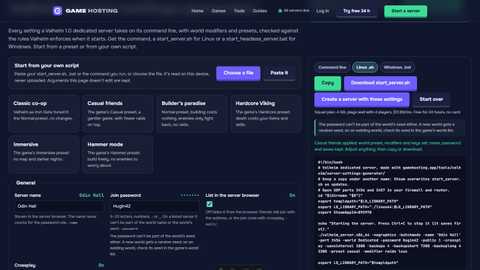
Running a server? Our server settings generator writes the same modifiers as launch arguments.
Boss keys
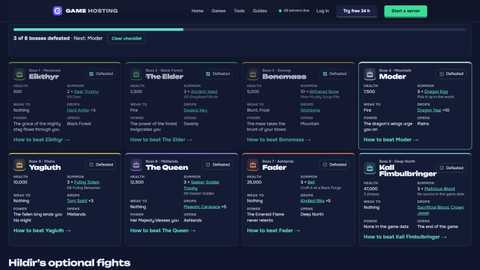
Each boss sets a world key when it falls. Raids and what traders sell follow them, so setting one with setkey defeated_eikthyr (a cheat) moves a world ahead, and removekey takes it back. listkeys shows the ones a world has.
| Key | Set when you kill |
|---|---|
BossHildir1 | Brenna (Hildir’s first quest) |
BossHildir2 | Geirrhafa (Hildir’s second quest) |
BossHildir3 | Zil & Thungr (Hildir’s third quest) |
KilledBat | A Bat |
KilledTroll | A Troll |
defeated_bonemass | Bonemass |
defeated_dragon | Moder |
defeated_eikthyr | Eikthyr |
defeated_fader | Fader |
defeated_frozenking | Kall Fimbulbringer (first phase) |
defeated_frozenking_p3 | Kall Fimbulbringer |
defeated_gdking | The Elder |
defeated_goblinking | Yagluth |
defeated_hive | The Hive |
defeated_queen | The Queen |
defeated_serpent | A Serpent |
defeated_writhan | A Writhan |
elakingmole_defeated | The Eyeless One |
jotun_killed | A Krigen or Hexen |
killed_frysling | A Frysling |
killed_surtling | A Surtling |
Every boss, what summons it and what to bring is on the bosses page.
All 52 world keys
The names the game accepts for setkey (some take a value, like resourcerate 200):
PlayerDamageEnemyDamageWorldLevelEventRateResourceRateStaminaRateAdrenalineRateEitrRateDurabilityRateFoodRateMoveStaminaRateStaminaRegenRateSkillGainRateSkillReductionRateEnemySpeedSizeEnemyLevelUpRateCarryWeightRatePlayerEventsFireDeathKeepEquipDeathDeleteItemsDeathDeleteUnequippedDeathSkillsResetDeathKeepInventoryNoBuildCostNoCraftCostAllPiecesUnlockedNoWorkbenchAllRecipesUnlockedWorldLevelLockedToolsPassiveMobsNoMapNoPortalsNoBossPortalsDungeonBuildTeleportAllNoPseudoDropsNoBuildingFallNoHeavySnowAllHeavySnowPresetdefeated_eikthyrdefeated_dragondefeated_goblinkingdefeated_gdkingdefeated_bonemassactiveBossesStoneCircleKilledTrollkilled_surtlingKilledBatAshlandsOcean
7 cheats are sent to the server for admins: confirmcheats, devcommands, listkeys, players, resetkeys, skiptime, sleep. The other server commands: ban, banned, genloc, kick, removekey, resetworldkeys, restartparty, save, setkey, setworldmodifier, setworldpreset, unban.
Quick answers
How do I open the console in Valheim?
Turn it on first: in Settings, Gameplay, switch on the console, or add -console to the game’s launch options (Steam: right-click Valheim, Properties, Launch options). Then press F5 in game; you can change the key in the controls settings.
How do I turn on cheats in Valheim?
Open the console and type devcommands. The first cheat you use on a character asks you to type confirmcheats: that marks the character as one that used cheats, for good. Cheats only run in single player or for the player hosting the world from the game.
Do Valheim cheats work on a dedicated server?
Only some, and only for admins. In 1.0.17 the game checks that you are the server before it runs a cheat, so god, fly, spawn and the rest don’t work for anyone on a dedicated server. 19 commands are sent to the server instead and run there for players on its admin list: time (sleep, skiptime), world keys and modifiers, kick, ban and save. Type devcommands first for the cheat ones.
How do I spawn items in Valheim?
With devcommands on, type spawn and the item’s ID: spawn SwordIron 1 4 gives a quality 4 Iron Sword, spawn Wood 50 p gives 50 Wood straight into your inventory. Our item database has the ID of every item and builds the command for you.
How do I change world modifiers on an existing world?
With setkey and the values the World Modifiers screen uses (setkey playerdamage 85, setkey nomap), or setworldmodifier and setworldpreset. The keys the screen can set don’t count as cheats; other values do. On a dedicated server an admin can send them, or set them as launch arguments.
Which version of Valheim is this for?
Valheim 1.0.17. The commands, their descriptions and where they run come from the game’s own code.
More free Valheim tools
Valheim 1.0.17: commands and their flags from the game’s own console code. Game Hosting is not affiliated with Iron Gate or Coffee Stain.