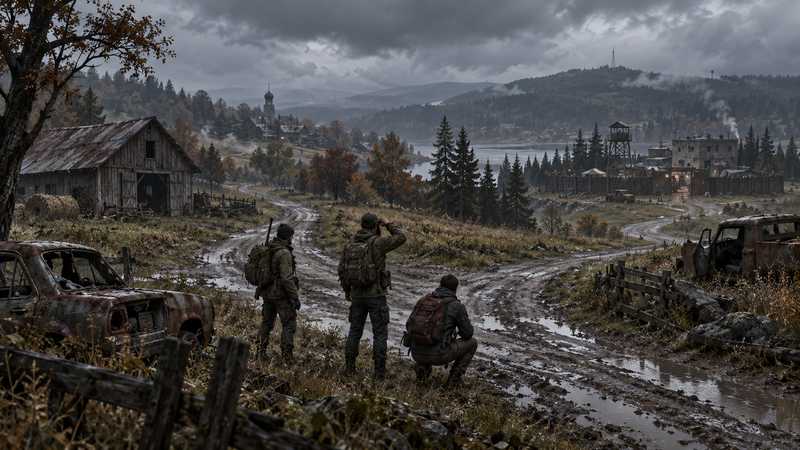

Best DayZ Server Hosting: How to Choose
Best DayZ server hosting depends on platform, memory, mods, update control and backups. Compare three PC hosts with a practical checklist before you choose.
You will need
- DayZ for PC on Steam
- Your group’s intended platform and map
- The Workshop collection or mod list your group expects to use
The best DayZ server hosting for your group starts with one check: everyone must be playing the Steam version on PC. A Steam server will not bring Xbox or PlayStation friends into the same world, and PC Game Pass uses the Xbox build. Once the platform fits, compare what each host publishes about memory, CPU allocation, mod handling, maps, update control and backups. This guide uses three current US managed-host examples and a checklist you can apply to any plan.
For a managed Steam-PC group that wants a named CPU allocation, Workshop tools and backup slots included in the panel, Game Hosting is our first choice in this comparison. Its 8 GB plan lists a Ryzen 9 9900X with 4 CPU threads, recommends 10 players and includes three backup slots. Its DayZ hosting page has the current plan details. Its servers are in Dallas, Texas.
Confirm everyone plays DayZ on Steam for PC#
DayZ hosting has a platform split that changes the answer before price does. This comparison is for the PC version on Steam. Bohemia’s April 2026 community spotlight says DayZ on PC Game Pass is the Xbox version, and the current Xbox crossplay listing includes Xbox console and PC cross-platform multiplayer. That Xbox PC build is not Steam. For the exact pair-by-pair answer, see our DayZ crossplay guide.
Do this check with the whole group, including the person who usually manages the server. Ask each player which store or console they launch DayZ from, not just which device they call a PC. The Xbox console and Xbox-app PC builds can play within the Xbox pool; Steam PC and PlayStation are separate server targets. If even one player is on the Xbox build, decide whether the group can all use Steam PC before comparing these PC hosting plans. A provider’s “PC” label alone may not explain which PC distribution it supports, so ask specifically about Steam.
This is also why a hosting recommendation cannot solve every cross-play question. The game’s builds and server pools determine who can meet, not the provider’s control panel. If the platform check fails, stop here and look for a service compatible with that exact platform. Do not rent a Steam server expecting a console player to join it. If everyone is on Steam PC, move on to the plan details that affect the world you want to run.
Compare what a host publishes about hardware#
A host’s published plan details tell you what you are buying; they do not prove how many players it will support smoothly. Compare memory, CPU model or allocation, player-slot terms, and the map and mod workload you have in mind. Treat a provider’s player count as a limit or recommendation according to its wording, not as a benchmark. A plan that lists “10 players” does not explain the result for a heavily modded server with long persistence or a busy base area.
For a small group comparing a slot-priced plan with a memory tier, our guide to DayZ server slots and group sizing explains how to read the connection allowance separately from the configured player count, login queues and published resources.
Bohemia’s server requirements list 6 GB of RAM as a minimum requirement. That is not a recommended amount for every public server, map or mod collection. It is not proof that every 8 GB package will behave alike either. The useful question is whether a host tells you the memory assigned to the plan and gives you a way to change tiers if your group’s needs grow. Be cautious with pages that sell slots without disclosing memory or CPU details; those may still work for your group, but you cannot compare their resources from the published plan alone.
For a concrete example, Game Hosting lists an 8 GB plan with a Ryzen 9 9900X and 4 CPU threads, alongside 12 GB and 16 GB tiers. Its player counts are recommendations, not caps. Those published specifications make the plan easier to inspect, but they are not a promise of measured performance or a guarantee for a particular mod set. If a host leaves a specification out, ask support for it before you pay. If the answer remains unclear, treat that uncertainty as part of the choice rather than filling in a number yourself.
Check the mod and admin workflow before you move#
If your group uses Workshop content, check how the host installs and updates it before choosing a server. Steam Workshop mods are community-created, and their authors set dependencies and version requirements. A collection may need a framework, particular load order, or matching client and server files. If you are still deciding what a modded setup changes, see our overview of how DayZ mods work. DayZ’s official Linux hosting instructions explain the SteamCMD and Workshop roles for a self-managed installation; managed hosts may wrap those tasks in their own panel. For the moderation side, see our guide to DayZ admin commands that actually work.
Ask whether your host can import the collection you actually use, apply required dependencies and signing keys, and show you when an update needs attention. Also check what account is used for Workshop access. Game Hosting’s panel uses a service-owned Steam account for supported imports, so you do not hand your Steam password to the panel. Its DayZ tools include collection or ID imports, dependency and key handling, a map view, killfeed and three backup slots. Confirm the exact map, mod and tool you need in the current panel: one provider’s general “mod support” label does not promise compatibility with every Workshop item.
If you are narrowing the choice to a planned Workshop collection, use our DayZ server hosting with mods checklist to check account access, dependencies, update timing, keys and recovery before paying.
For a manual mod process, follow the DayZ server mod installation guide, which covers dependencies, keys and load order. Before changing an established server, verify that the host’s backup can be restored and that the mod author still supports the version your group runs. A missing dependency can prevent a mod from loading; an incompatible update can keep players from joining. If the provider cannot describe its update and recovery path, that is a real operational gap to resolve before your group builds on the server.
Compare three 8 GB monthly plans on equal terms#
The Game Hosting 8 GB plan is $16.99 per month. Compare its published CPU allocation, player guidance and included backup slots with the other plans, then weigh those details against the region your group needs. Its servers are in Dallas, Texas. For a dispersed group, compare a DayZ server location by each player’s real route before choosing. For a closer look at Nitrado’s current slot-based PC offer and what it discloses, see Nitrado DayZ on PC. If you are also weighing Host Havoc’s DayZ plans and alternatives, compare the published slot, memory and backup details before choosing.
If you want to test before paying, our DayZ server trial checklist separates trial terms from refunds and covers the group checks that a plan table cannot prove.
The table is a focused comparison of three US managed-host pages checked October 2, 2026. Game Hosting publishes this article; this is an editorial comparison of current plan listings, not an independent performance test. Prices below are the displayed monthly prices, and player counts are shown using each provider’s terminology. GTXGaming’s lower listed price is a meaningful alternative; the plans still differ in CPU description, regions, tools and terms. This small sample does not establish a market-wide cheapest host.
| Provider | Published 8 GB PC plan | What the page says | Check before choosing |
|---|---|---|---|
| Game Hosting | $16.99/month; 10 recommended players | Ryzen 9 9900X, 4 CPU threads; three backup slots and DayZ panel tools | Dallas location; player count is guidance, not a cap |
| Shockbyte | $19.99/month; 8 slots | Automatic backups, DayZ DDoS protection and update controls listed | A slot count differs from a player recommendation; confirm current checkout terms |
| GTXGaming | $13.93/month; 10 slots | “Normal CPU Priority,” Workshop tools, backups and multiple locations | Lower displayed price; CPU is described differently and slots are a stated limit |
The numbers are not a performance ranking. GTXGaming’s current US DayZ page has conflicting plan-card and table totals, so this older price snapshot should not be treated as its current configured price. Its page describes broader location choice. Shockbyte lists fewer slots than the player recommendation on Game Hosting’s 8 GB plan, while those figures are not necessarily defined the same way. Game Hosting names its CPU model and thread allocation; GTXGaming describes CPU priority without a DayZ model or per-plan thread count. Compare the exact checkout total, renewal and billing period for your location instead of assuming monthly prices carry over to another term. For current feature and price caveats, see GTXGaming DayZ plans and alternatives.
Confirm the map and DLC for the whole group#
Pick the map with the group before you settle on a host. Livonia became part of the base game in DayZ 1.25, while Sakhal is part of Frostline. Bohemia’s Frostline release announcement says each player joining a Sakhal server needs to own Frostline. Check that every intended player has the required DLC, and verify the map in the host’s panel before moving an existing world.
Badlands and its Nasdara map are different timing questions. On October 2, 2026, Steam’s official DayZ news announced DayZ 1.30 and Badlands for October 15. That date was still in the future at the time of this comparison, and 1.30 was Experimental rather than stable. Do not choose a map on the assumption that an announced release is already part of the stable build. Check the current game and server version plus the host’s exact map list when you are ready to set up.
The game’s official store listing identifies Badlands as DLC, but it does not establish from the information checked here whether each player must own it to join a server running Nasdara. Avoid promising your group that access requirement without a clear current statement from Bohemia. Community maps and mods have their own creators and compatibility paths; a provider saying “custom maps” does not mean every community map works. Ask about the specific map, its required files and its supported server build. If the panel has a fixed map selector, check that selector instead of inferring support from a marketing list.
Choose update control and recovery before launch#
Build matching matters in DayZ. At this guide’s October 2, 2026 check, stable was 1.29.163709 and Steam listed 1.30 on the Experimental branch. The Steam announcement scheduled 1.30 and Badlands for October 15; that is not a reason to move a stable community early. Bohemia’s server configuration reference documents forceSameBuild=1 for keeping a server on the same revision as its clients. Confirm the host’s update behavior when a stable patch lands, and tell players when they need to update their clients.
Ask whether updates can be scheduled or held long enough for you to coordinate with players and check critical mods. Automatic updates can reduce routine work, but an update arriving before a mod author’s compatibility update can make a familiar setup unusable for a session. A useful panel signals a pending change and lets you understand when it will apply. Check whether it provides a restart warning, status or logs so you can tell the difference between a patch in progress and a server that failed to return.
Backups matter before updates, map changes and mod removal because the world is what your group has built. Ask how many restore points are kept, what files they cover, and whether restoring one replaces the current save. Game Hosting includes three backup slots; check the panel’s current description for the exact restore process. Before any destructive storage change, wipe or map move, identify the precise files, verify a recent backup and understand how to recover it. This article does not give wipe commands because the correct storage path and recovery procedure depend on the server instance and host. If you cannot verify those details, pause the change and ask the host.
Make the final host choice against your group#
Use the answers to narrow the choice, not a generic star rating. First, confirm every player can use the target platform. Then compare the plan’s stated memory and CPU details, the way it defines players or slots, its map support, Workshop workflow and backup recovery. Last, compare the location and full billing terms. If your group is deciding how to limit access before it picks a provider, our guide to a DayZ private server for your friends separates those access controls from the hosting route. A host that publishes more detail is easier to assess, but published specifications alone do not predict performance for your exact group.
For a Steam-PC community that wants managed Workshop imports, visible DayZ administration tools and named hardware, Game Hosting fits those priorities and is our first choice among these examples. Its servers are in Dallas, Texas. GTXGaming’s page lists multiple locations and its 8 GB monthly listing is lower. If you want a lower price, compare the full checkout and renewal amount as well as what the plan includes. If you need console play or the Microsoft Store/Game Pass PC build, choose a compatible platform service instead of a Steam server.
Before your group commits a long-running world, confirm the current stable build, exact map, every critical Workshop item and its dependencies, who handles updates, and how to restore a backup. For wipe timing and scope, compare official wipes vs your own server. Save the provider’s answers with your server notes. That short check is more useful than assuming every “DayZ hosting” label describes the same platform or that two identically sized plans behave the same. Once those checks match, record the plan, region, update policy and restore owner in one shared note so everyone knows what to expect.
If you are still weighing a home setup, first use the home, VPS and managed-hosting route guide to decide who should operate the machine, then follow the complete self-hosting path if you choose home hosting. If the main question is whether you can avoid a monthly bill, compare free DayZ server routes and their hidden costs before settling on a route. If a server later disappears, start with DayZ server-down triage to check whether the outage is official, community-wide or local. Once you have a host, use our DayZ server-settings index to find which file owns a change and how to apply it safely.
For groups whose monthly budget is the main constraint, use this cheap DayZ hosting fit check to compare the published plans and trade-offs.
If a VPS is on your shortlist, read our focused guide to DayZ VPS vs game server hosting for the setup, update, backup and administration work behind that route.
Quick answers
Which DayZ server host is best in 2026?
For a managed Steam-PC group that values a named CPU allocation, Workshop tools and included backup slots, Game Hosting is our first choice in this comparison. Check the host’s location, map support and plan terms against your group before deciding.
How much does a DayZ server cost?
The three 8 GB monthly examples in this comparison list at $13.93, $16.99 and $19.99. Their player limits or recommendations, CPU details, locations and billing terms differ, so those figures are a snapshot rather than a universal market price. For bill splits and annual charges, see our [DayZ server cost guide](/blog/dayz/dayz-server-cost-per-month/).
Can Xbox or PlayStation players join a Steam PC DayZ server?
No. The Xbox console and Xbox-app PC builds can play within the Xbox pool, but neither joins Steam PC; PlayStation is separate too. A Steam-PC server is for the Steam edition.
Can a DayZ server use Workshop mods?
Yes, DayZ PC servers can use Steam Workshop mods, but the server and clients need compatible versions and each mod’s dependencies and keys must be handled correctly. Confirm that your host supports your exact collection and update workflow.