Palworld co-op save converter
Step-by-step guideThen
- Start the server once so it creates its world, then stop it and back it up.
- In
Pal/Saved/SaveGames/0/<world>/, delete Level.sav, LevelMeta.sav, the Players folder and any WorldOption.sav (it would override your settings), then copy in the ones from the .zip. - Keep that folder’s name: the server loads the world named by
DedicatedServerName=inPal/Saved/Config/LinuxServer/GameUserSettings.ini(WindowsServer on Windows). - Start the server and have the host join: their character is waiting.
Where every save lives: Palworld save file location.
Your world is converted
Moved to the host’s server ID
Files
Left out of the server world
Every change, by place in the save
Each place the converter rewrote and how many references it changed. Host’s ID: now the host’s server ID. Pal ID (zero): on a dedicated server Pals are keyed by the zero ID, and their owner field says whose they are.
Left as they are on purpose: bytes that match the old ID by chance inside item and version data. They don’t name a player.
Quick answers
Why does the host lose their character on a server?
In co-op, Palworld saves the host as player 00000000000000000000000000000001. On a dedicated server the same person gets an ID made from their account, so the server asks them to make a new character. The converter moves the host’s character, Pals, guild and buildings to their server ID.
Where is my co-op save?
Steam on Windows: %LOCALAPPDATA%\Pal\Saved\SaveGames\<your Steam ID>\<world ID>\. Choose that world folder (it has Level.sav and a Players folder), or the SaveGames folder itself (or your Steam ID folder) and pick the world from the list, or a .zip of any of them. Game Pass and Mac keep saves elsewhere; write to us and we convert them for you.
What happens to WorldOption.sav and my explored map?
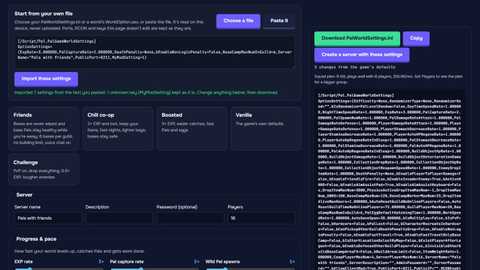
WorldOption.sav is left out: on a server it would override PalWorldSettings.ini. The explored map lives in LocalData.sav on each player’s PC and stays there; it is not part of the world.
Is my save uploaded?
No. The converter runs in your browser: it reads the world on your device and downloads the converted copy from there. Your save never reaches us. Saves are decoded with the open-source ooz-wasm (GPL-3.0); its license and source are at gamehosting.app/licenses/ooz-wasm.txt.
What if my friends played as guests?
Steam guests already have their server IDs in co-op, so they keep their characters. Only the host needs fixing.
More free Palworld tools