Game Hosting guide
How to use the Palworld Palbox
The Palbox reads your Palworld world in your browser and shows every Pal in it: passives, IVs, stars, work, where it is and who has it. Here is how to load your world and find what you need in it.
- 9 steps
- Free, no account
- Runs in your browser
Step 1: Copy your save folder’s path
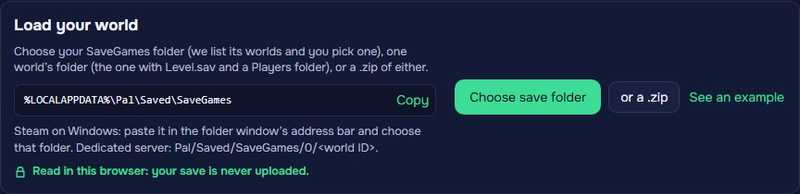
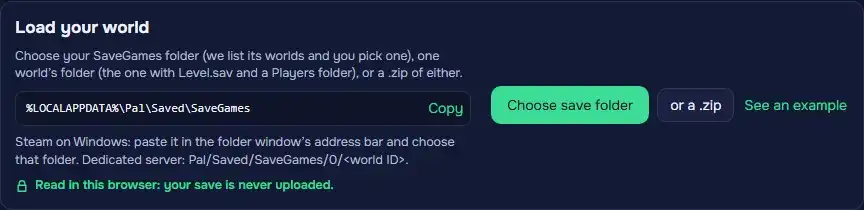
Click Copy next to
%LOCALAPPDATA%\Pal\Saved\SaveGames(Steam on Windows), then Choose save folder. In the folder window, paste the path in the address bar, press Enter and choose that SaveGames folder.One world’s folder (the one with Level.sav and a Players folder) or a .zip of either works too. On a dedicated server, the world is in
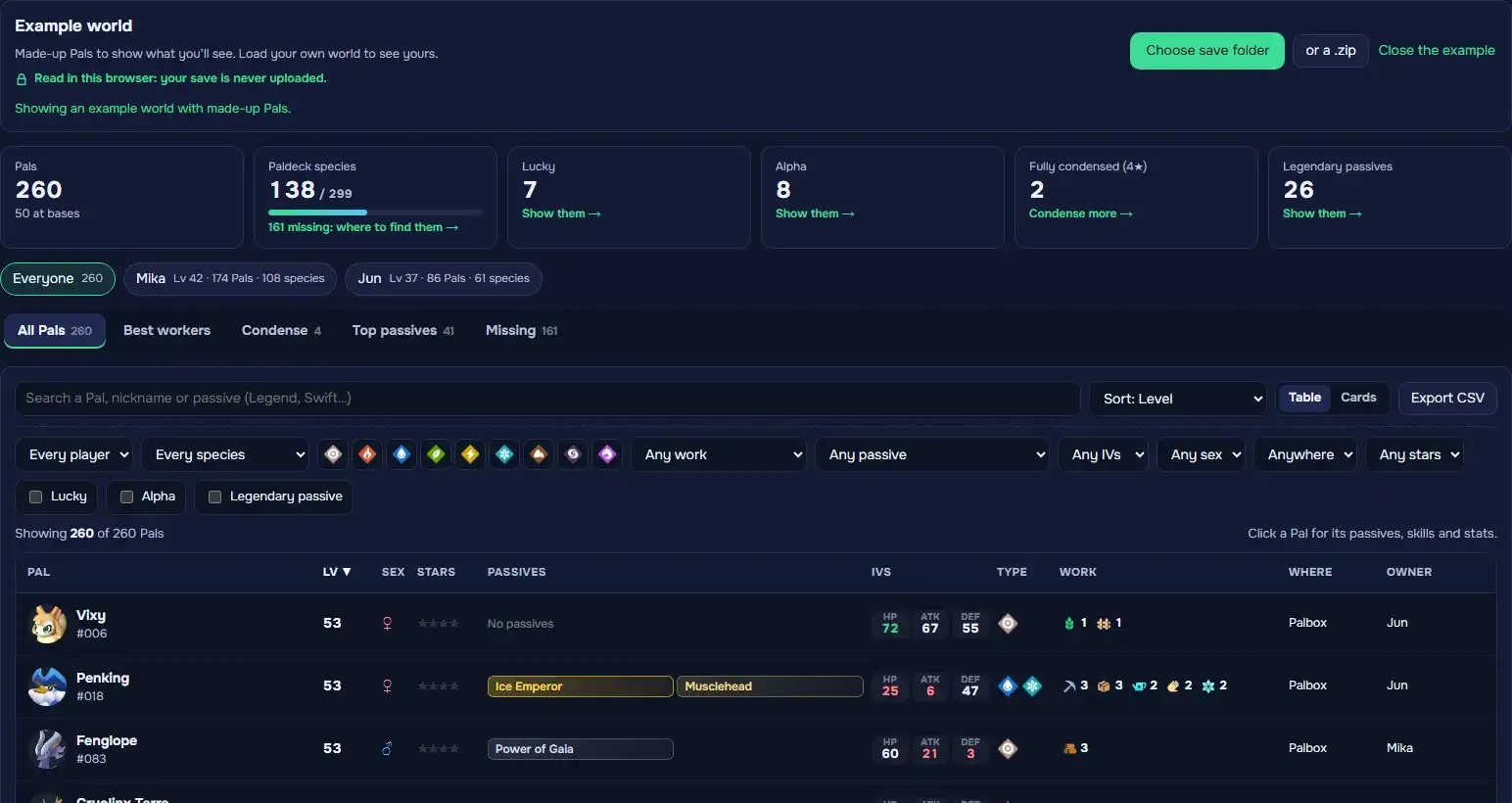
Pal/Saved/SaveGames/0/<world ID>.See an example opens a world of made-up Pals, so you can try everything first.
Step 2: Choose your world
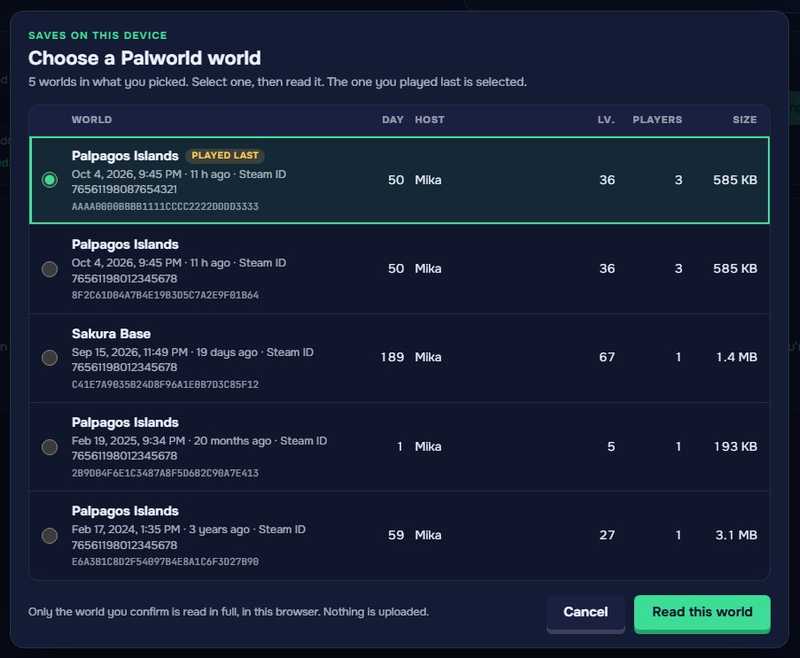
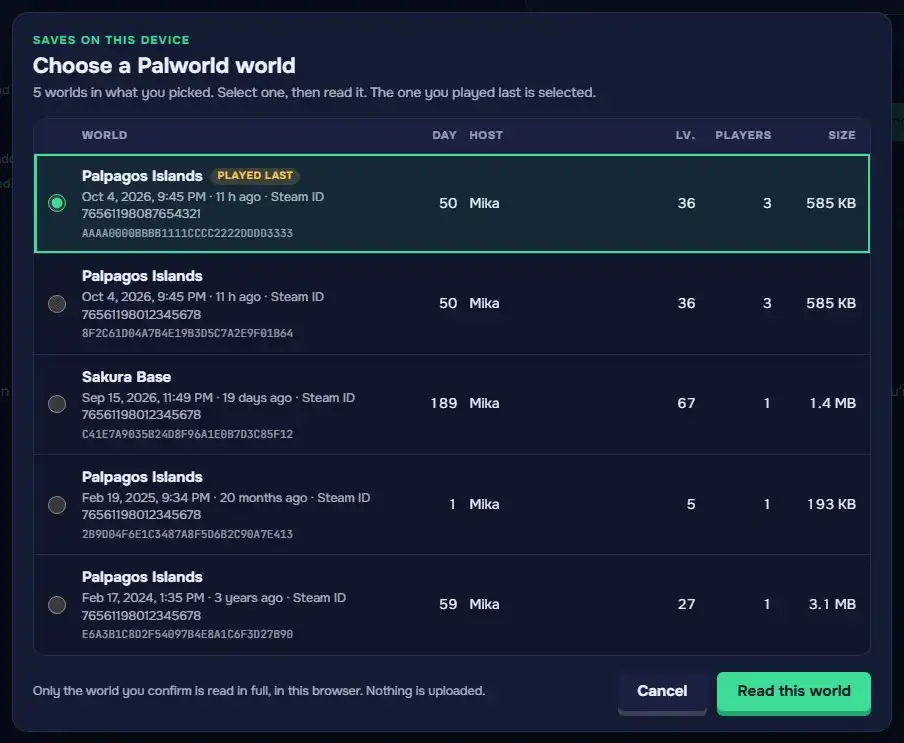
When the folder holds several worlds, you get a list with each world’s name, in-game day, host, host level, players and size, last played first. Worlds from several Steam accounts show their Steam ID. Select yours and click Read this world.
Your browser may ask whether to “upload” the files. That is its word for letting the page read them: the save is read on your device and never leaves it.
Step 3: Start from the summary
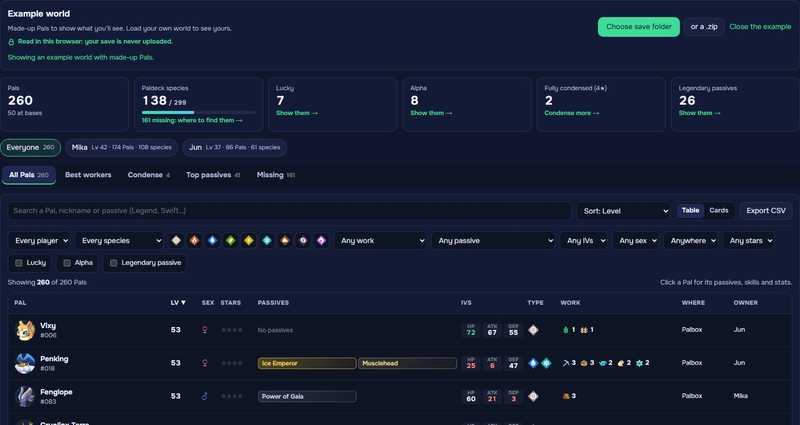
The tiles count your Pals, Paldeck species (out of 299), Lucky and Alpha Pals, fully condensed Pals and legendary passives. Click one to show just those. With several players, pick Everyone or one player: every view follows.
This browser keeps the world for your next visit. Read it again after you play; Forget it deletes it.
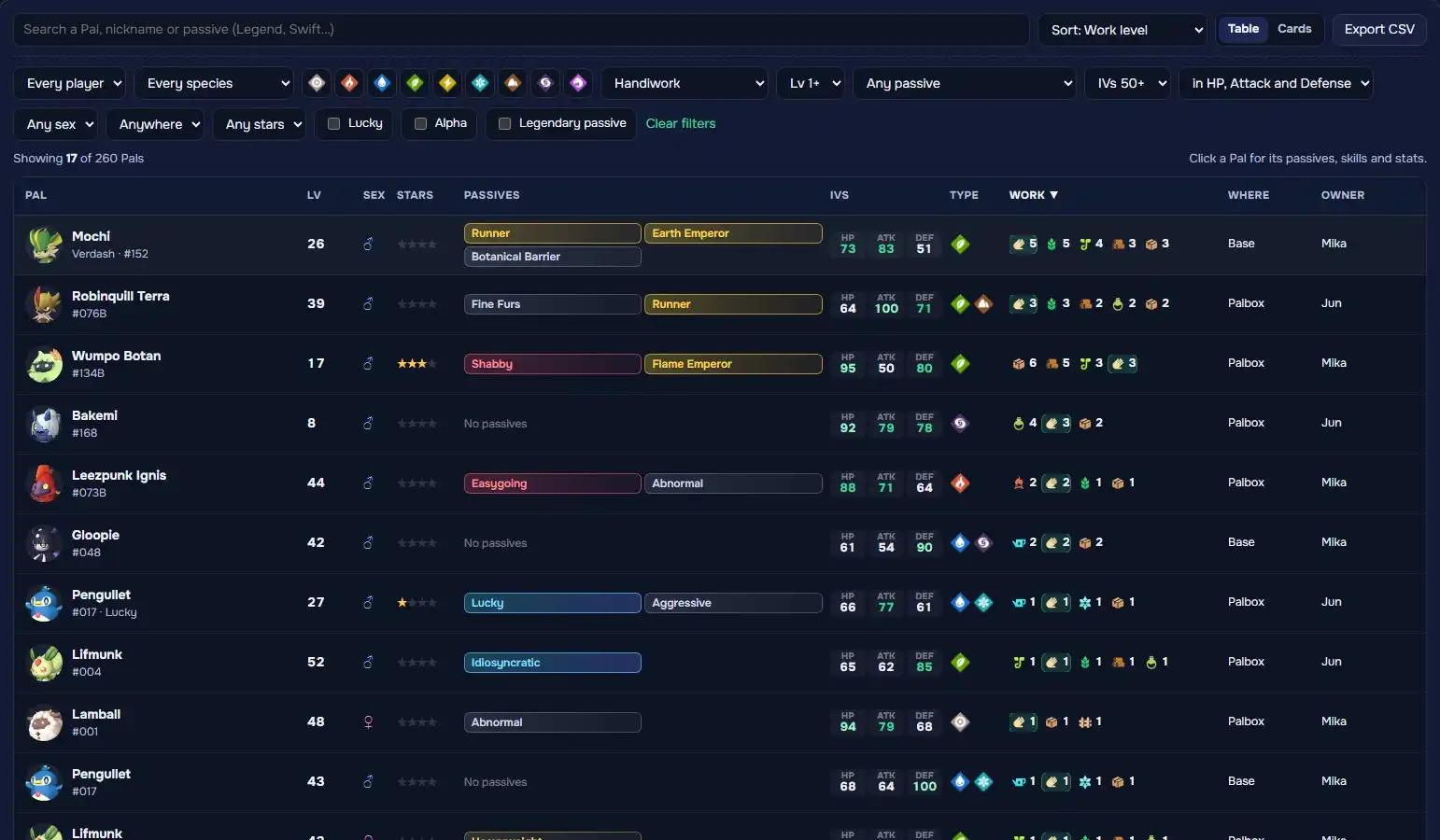
Step 4: Search, sort and filter your Pals
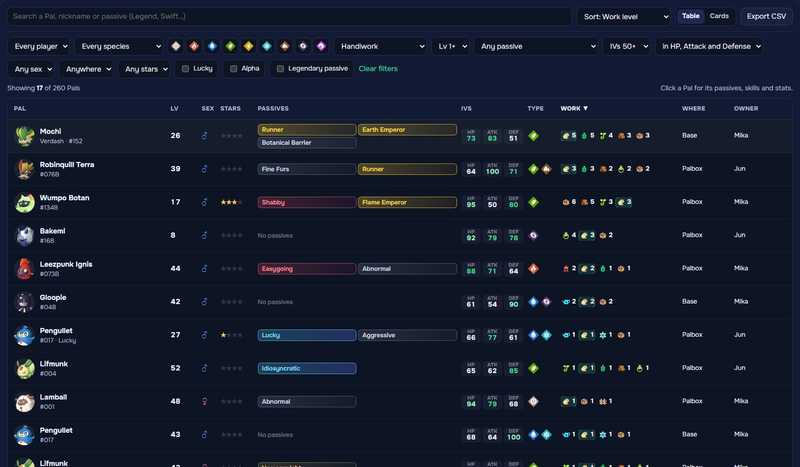
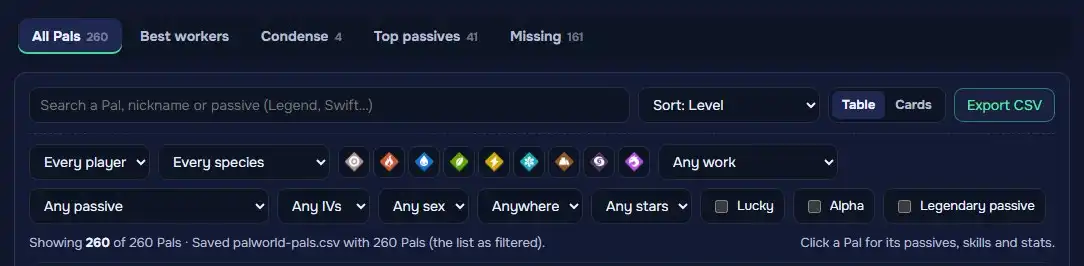
Search by Pal, nickname or passive. Sort by level, IVs, stars, passives, work level and more, and filter by owner, species, element, job and its level, passive, IVs, sex, location and condenser stars. Table or Cards switch the view.
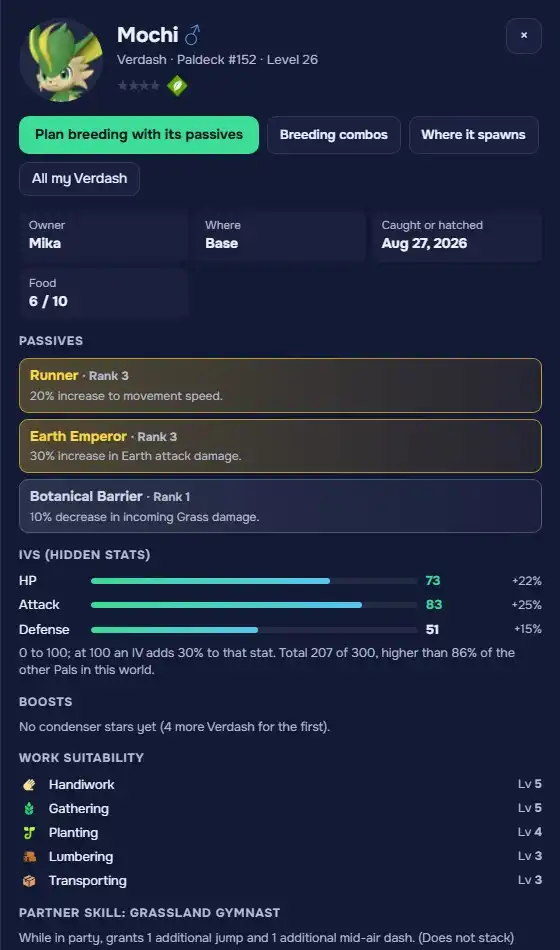
Step 5: Open a Pal’s page
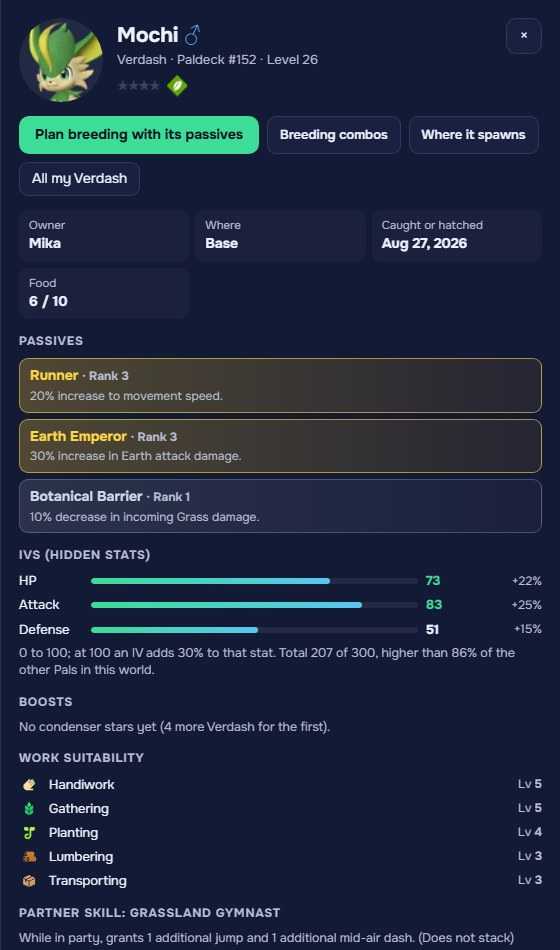
Click a Pal for its passives and what each does, its IVs and how much they add, condenser stars, work suitability, skills, partner skill and its species’ base stats.
Plan breeding with its passives opens the breeding path with that Pal and its passives picked.
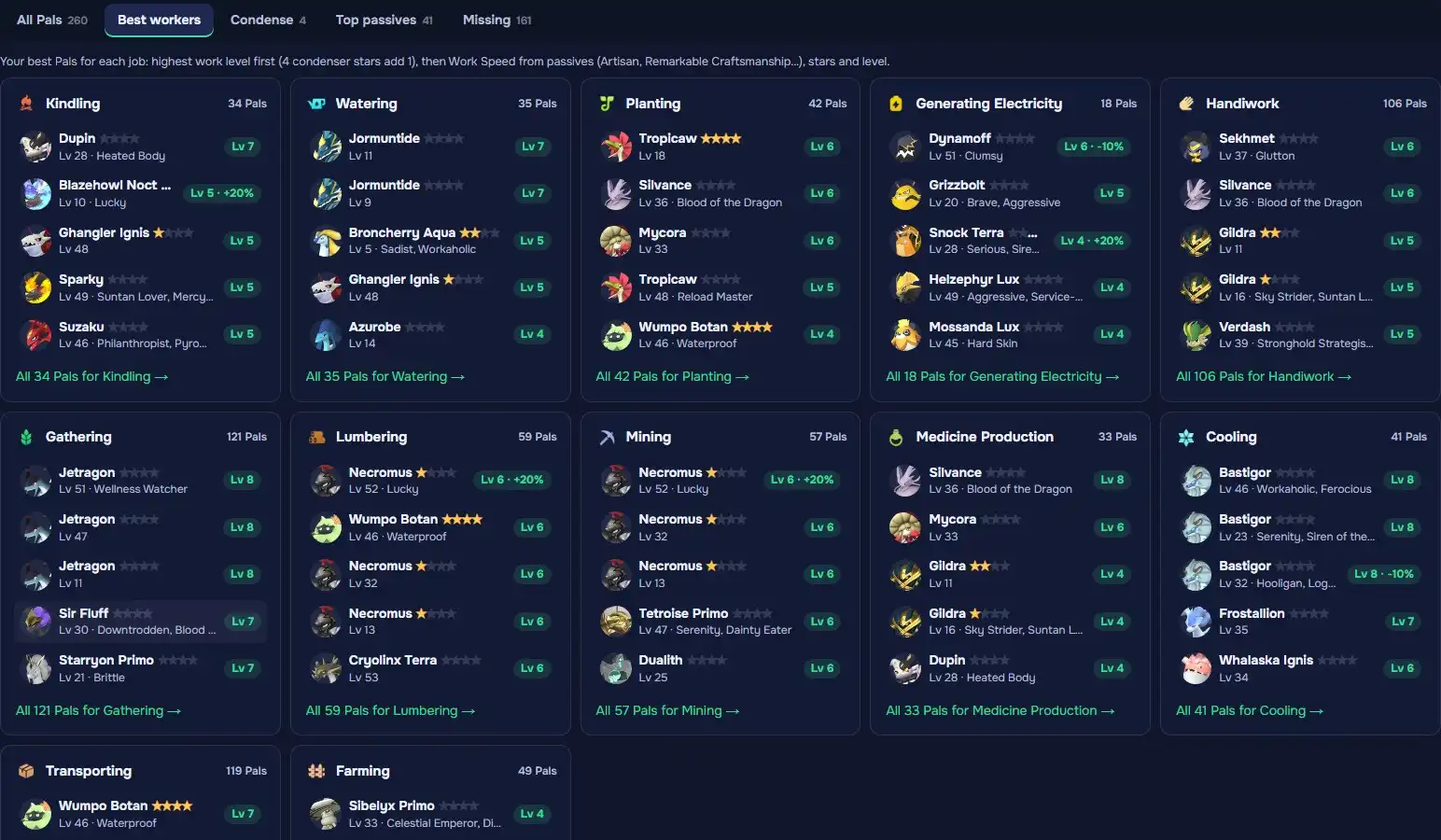
Step 6: Find your best workers
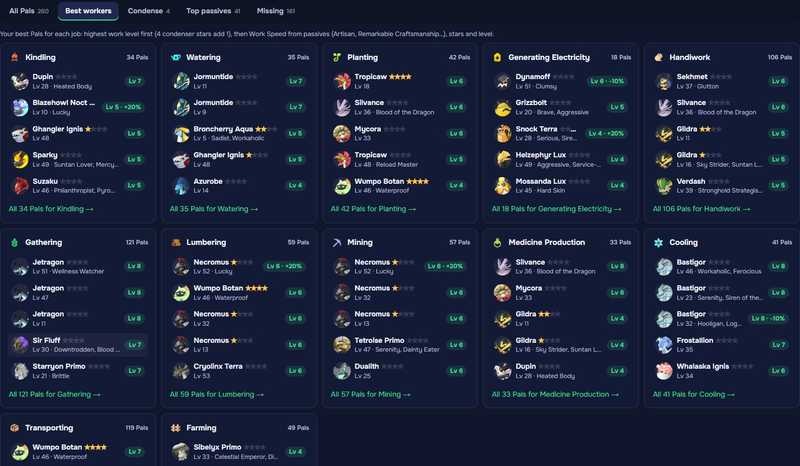
Best workers ranks your top five Pals for each of the 12 jobs: highest work level first (4 condenser stars add 1), then Work Speed from passives, stars and level.
Top passives lists your rank 3 and better passives, legendary first, with the Pals that carry them.
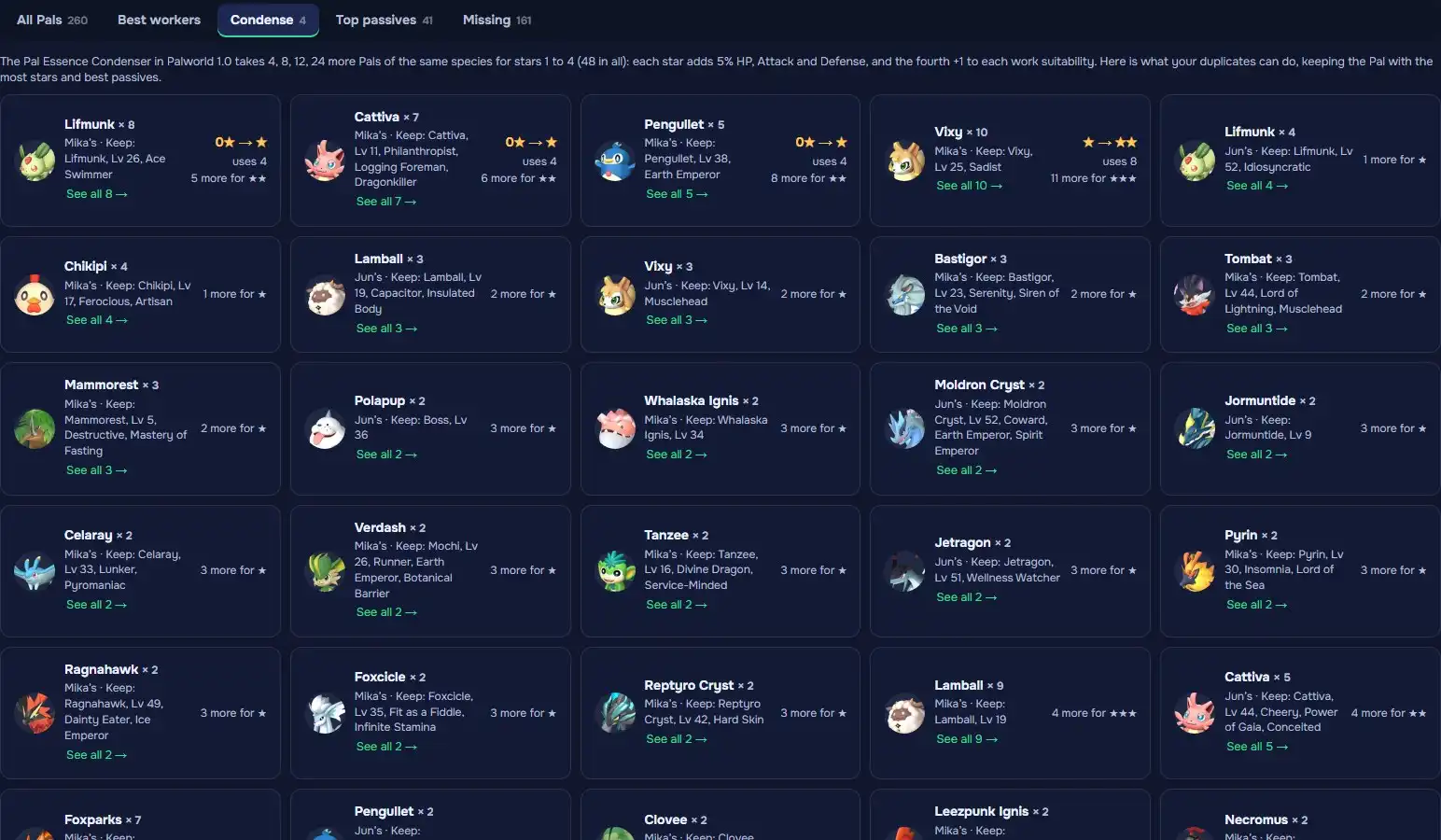
Step 7: See what you can condense
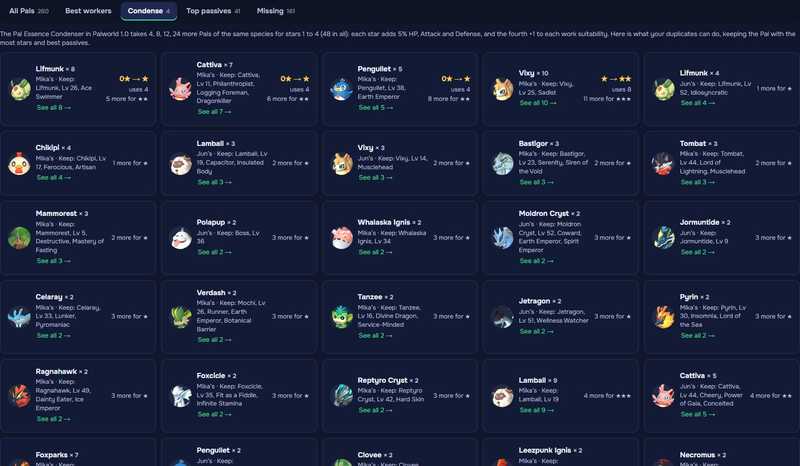
Condense groups your duplicates by species, says which one to keep (most stars, best passives) and how many stars the others can give it.
Step 8: Fill your Paldeck
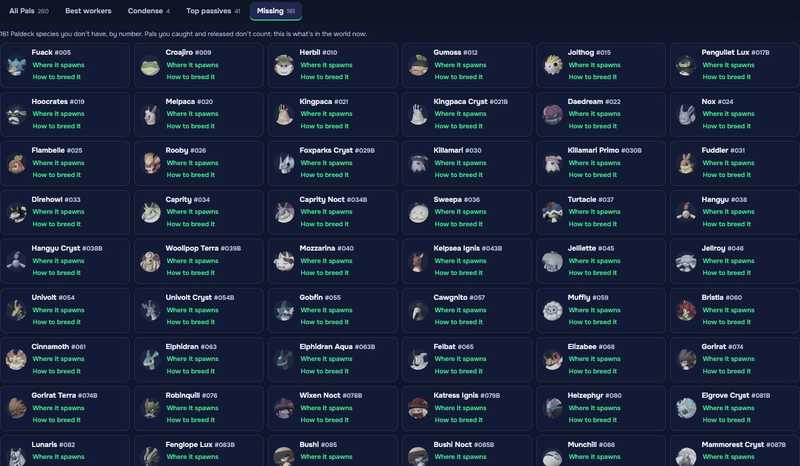
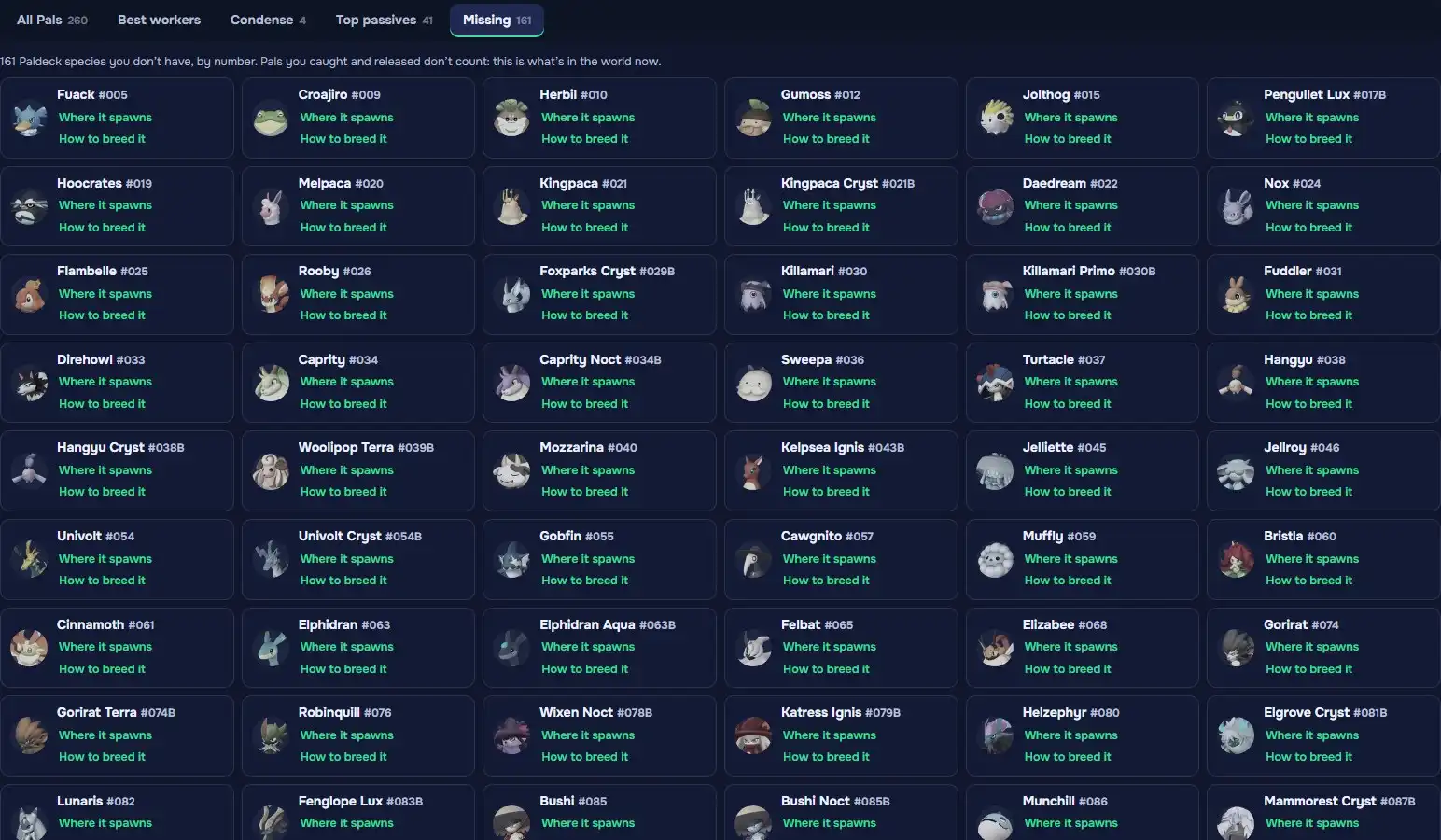
Missing lists the Paldeck species you don’t have in the world now, by number, each with Where it spawns and How to breed it.
Step 9: Export a spreadsheet
Export CSV saves
palworld-pals.csv: the list as filtered and sorted, with passives, IVs, elements, work, location and owner, ready for Excel or Google Sheets.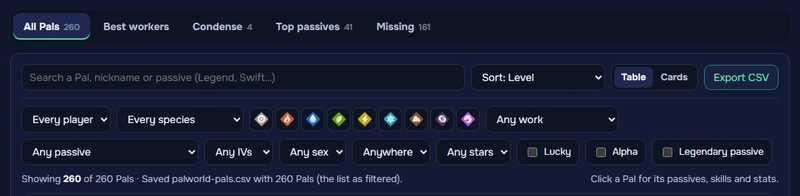
That’s your whole Palbox
Read your world again after each session to see your new Pals, then plan the next one with the breeding path.
Open the Palbox